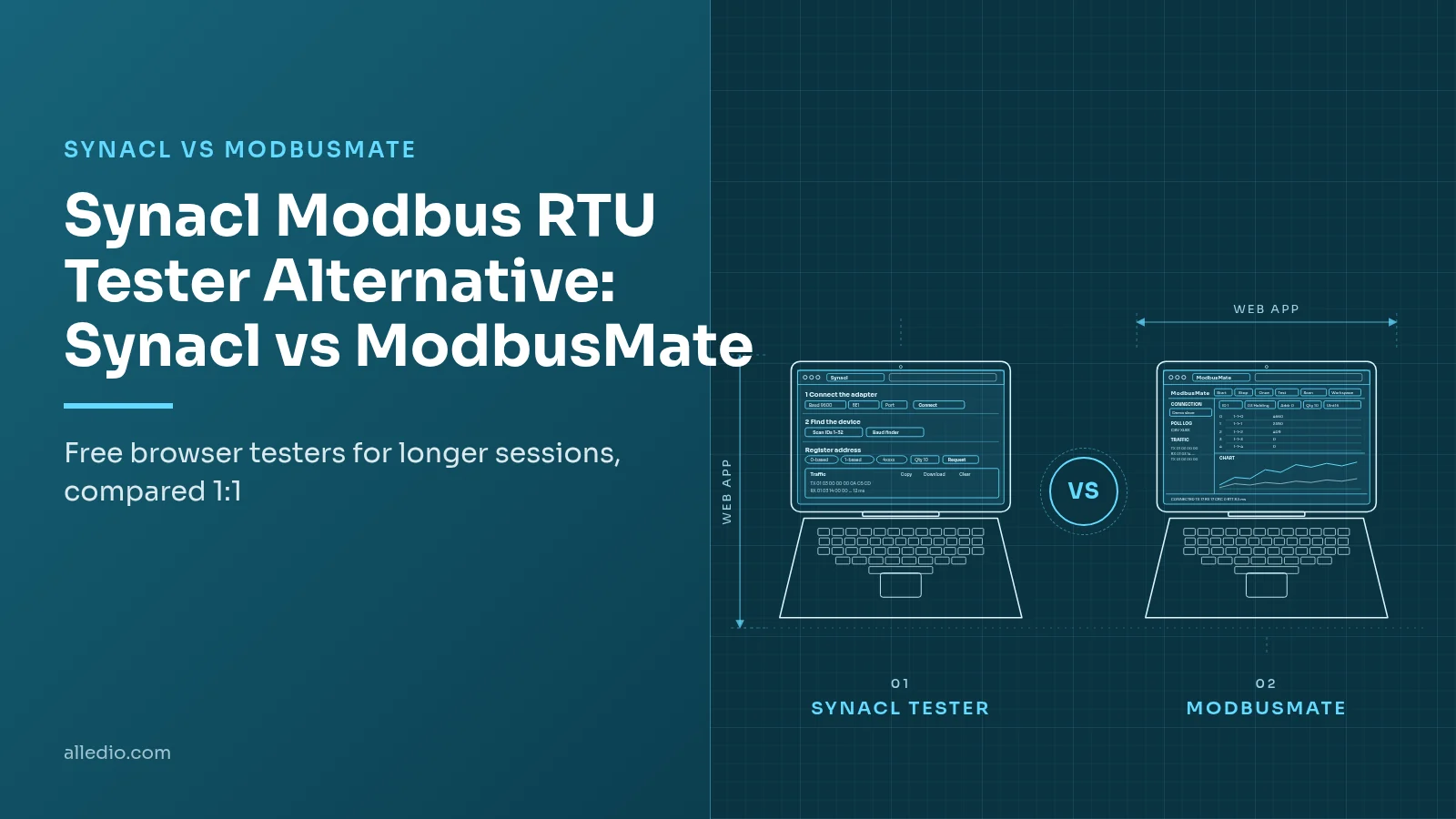
Looking for a Synacl Modbus RTU tester alternative? Synacl's free browser tester is a quick way to prove that an RS-485 bus works. ModbusMate is the better pick once the job turns into a longer session with writes, formats, logging or charts.
Both tools run in a Chromium desktop browser over Web Serial, and both are free to use. This comparison shows where each one is stronger, so you can pick the right tool for the job. Facts about Synacl come from its official Modbus RTU tester page, checked in November 2026.
Modbus RTUWeb SerialSynaclFree ToolRS-485Comparison
Short answer: Synacl is a great first check: it scans unit IDs, finds the baud rate and needs no account. Choose ModbusMate when the job turns into a session: several poll windows, multi-register writes, 64-bit formats, charts and CSV/XLSX logs.
Synacl vs ModbusMate at a glance
The table maps what Synacl documents on its Modbus RTU tool page to what ModbusMate does today. Where Synacl does not say, the cell reads Not documented, as of November 2026.
| Feature | Synacl Modbus RTU tester | ModbusMate |
|---|---|---|
| Price and licence | Free tool; no account | Free; free profile after a 5-minute guest session |
| Platforms | Chromium desktop browsers (Chrome, Edge, Opera, Arc, Brave) | Chrome, Edge or Opera on a desktop |
| Install | None, a web page | None, a web app that works offline once loaded |
| Account needed | No | Free profile (name and email) after the guest session |
| Modbus RTU | Yes | Yes |
| Modbus ASCII | No (this tool is RTU over Web Serial) | Yes |
| Modbus TCP | No in the browser; TCP is on the ESP32 gateway | Coming soon |
| Data formats | Register reads with decoding in 0-based, 1-based or 4xxxx notation | Int/UInt 16/32/64, Float32/64, Hex, Binary, Boolean, ASCII, scaled |
| Word orders | ABCD and CDAB documented for the gateway (firmware 1.5.4+); BADC/DCBA not supported | ABCD, CDAB, BADC, DCBA |
| Logging and export | Frame log copy and download | Poll log to CSV or XLSX; traffic log pause and save |
| Chart | Not documented | Yes, with PNG and CSV export |
| Raw requests | Not documented | Test Center with FC presets 01-06, 08, 0B, 0F, 10, 11, 16, 17, 2B |
| Unit-ID scan | Yes, IDs 1 to 32 | Yes |
| Baud finder | Yes | No |
| Write protection | Single coil and single register writes behind a confirm dialog | Monitoring-only mode blocks all writes |
| Slave simulation | Separate browser slave simulator | Built-in demo slave (loopback); none for external masters |
| Updates | Hosted web page, updated by Synacl | Hosted web app, updated automatically |
Trademarks belong to their owners. Synacl is a product of its vendor; ModbusMate is a product of Alledio.
For a first walkthrough on a live bus, see how to test a Modbus RTU device.
Side by side: the two apps on the same task
The test job is simple: read 10 holding registers from one slave and decode one float. In Synacl you connect, scan unit IDs 1 to 32 and read the block with decoding in 0-based, 1-based or 4xxxx notation. That is a fast first check.
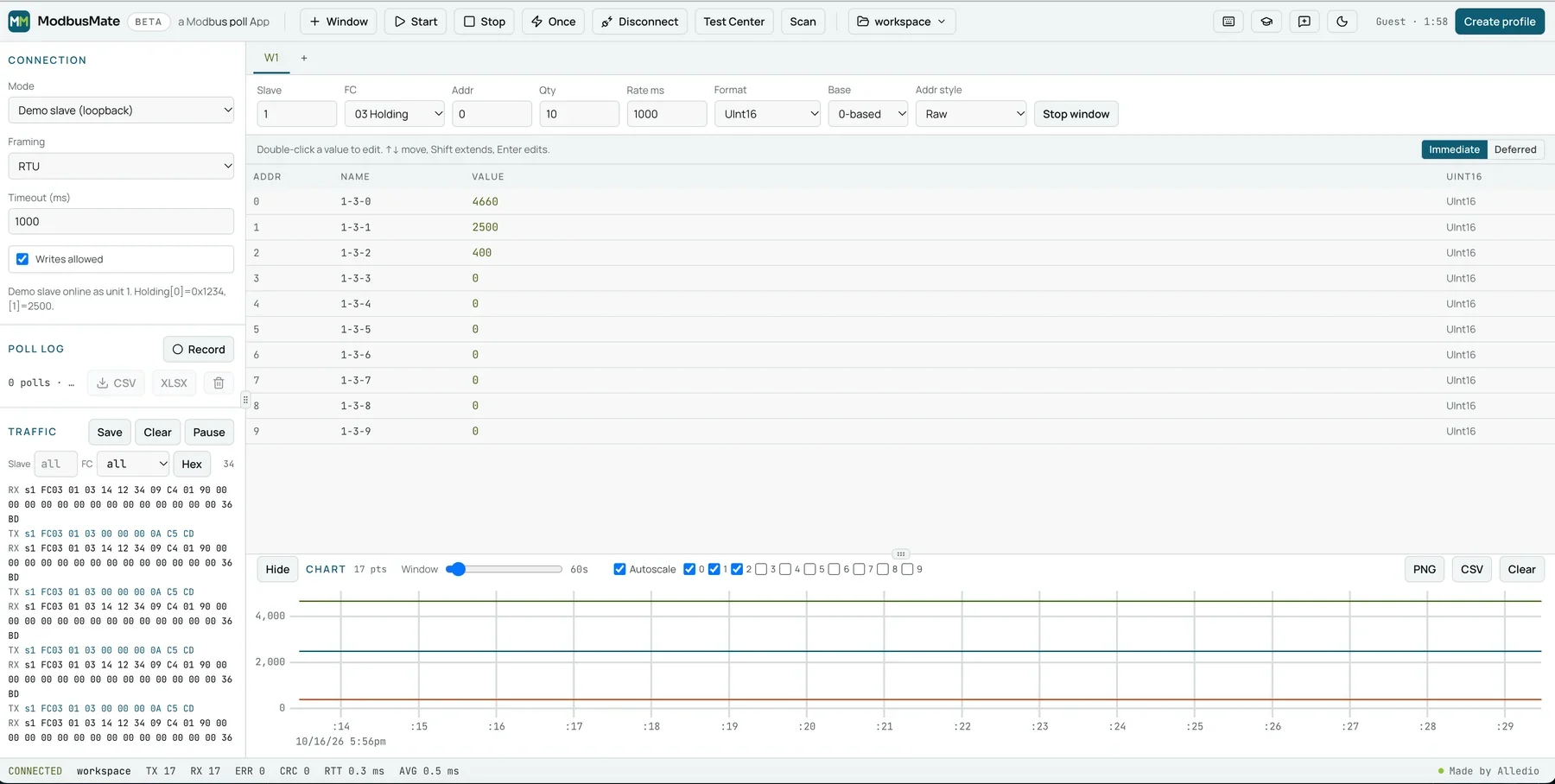
In ModbusMate you open a poll window, set slave ID, function code, address and length, then press F8 to read once or F5 to keep polling. The workspace below shows the demo slave with the chart, traffic log and status counters.
Price and licence
Both tools cost nothing to use. Synacl needs no account at all, which is a real advantage on a locked-down laptop or a shared service PC.
ModbusMate lets you start as a guest and then asks for a free profile with a name and an email address after 5 minutes. The profile keeps your saved workspaces. There is no licence fee for any seat on the team.
Platform and install
Both are web pages that need a Chromium desktop browser for Web Serial: Chrome, Edge or Opera, and Synacl also lists Arc and Brave. Neither needs an installer or admin rights.
ModbusMate works offline once loaded, because it is a progressive web app. It does not run on phones or in Firefox or Safari.
Interface and ease of use
Synacl keeps the first screen small: connect, scan, read. It also offers a baud finder, so you can attach to a bus with unknown settings and let the tool find them.
ModbusMate has more controls because it does more. A 10-step guided tour walks through the first poll window, and the keyboard shortcuts panel lists every key.
Polling several devices
A quick tester reads what you ask for, when you ask. ModbusMate is built for continuous polling: open as many poll windows as you need, each with its own slave ID, function code, address range and rate.
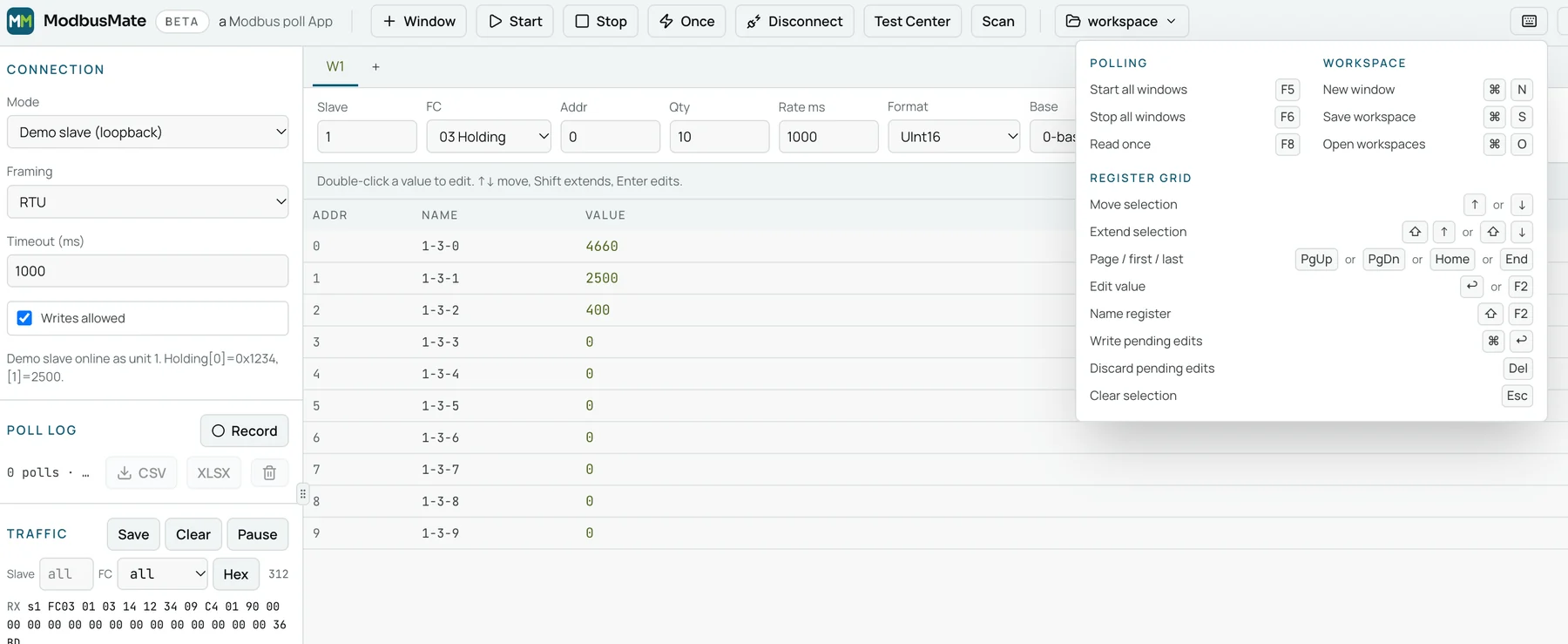
- Start every window with F5, stop them with F6, or take one shot with F8.
- The status bar counts TX, RX, errors, CRC failures and round-trip time.
- A saved workspace reopens the same set of windows on the next visit.
Data formats and word order
Synacl decodes register reads and shows them in 0-based, 1-based or 4xxxx notation. Its official page documents 16- and 32-bit integers and 32-bit floats with ABCD or CDAB word order for the gateway (firmware 1.5.4 or later), and says this tester page helps you pick the format. It does not document 64-bit types or the byte-swapped orders BADC and DCBA.
ModbusMate sets the format per window: Int and UInt in 16, 32 and 64 bits, Float32 and Float64 in ABCD, CDAB, BADC and DCBA order, plus Hex, Binary, Boolean, ASCII and a scaled value (a × raw + b). Base 0 or 1 and the address style match your device manual.
Logging, charts and export
Synacl lets you copy or download the frame log. That is enough to attach to a support ticket, but it is a log of frames, not of values over time.
In ModbusMate you can keep a poll log and export it as CSV or XLSX when you write the commissioning report. A live chart follows the registers and can be saved as PNG or CSV, and you can pause and save the traffic log, including its CRC and LRC checks.
Watch: ModbusMate in action
Modbus RTU, ASCII and TCP support
Both tools target Modbus RTU over RS-485. ModbusMate also speaks Modbus ASCII; Synacl's tester is RTU over Web Serial.
Neither tool opens a Modbus TCP session in the browser today. For ModbusMate, Modbus TCP is coming soon, with no date promised. Synacl documents Modbus TCP on its ESP32 gateway, not in this tester.
Support and updates
Both are hosted, so the next page load is the latest version with nothing to patch. Synacl also publishes help guides and other free tools: a frame decoder, a CRC calculator and a browser slave simulator.
ModbusMate has an in-app feedback dialog for bugs, ideas and questions, so a report goes straight to the team from the screen where the problem happened.
Synacl Modbus RTU tester alternative: who should pick which
Where Synacl wins:
- No account at all.
- Baud and parity finder, plus a unit-ID scan.
- Frame decoder and CRC calculator that work in any browser, phones included.
- Companion browser slave simulator.
- Path to an ESP32 cloud gateway with a free tier for five devices.
Where ModbusMate wins:
- Multi-window polling.
- FC 15 and 16 multi-register writes, where Synacl deliberately offers single writes only.
- Int/UInt 64 and Float64 in four word orders.
- Chart with PNG and CSV export, and poll log to CSV or XLSX.
- Saved workspaces, Test Center raw requests and a guided tour.
ModbusMate has no slave simulator for external masters, and no Excel or scripting automation. For the cost side of paid tools, see our Modbus Poll price breakdown, or the Modbus Poll alternative overview. For another free browser tester, see the AggSoft Modbus tester alternative.
Switching from Synacl: migration tips
- Copy the unit ID, baud rate and parity that Synacl found.
- Open one ModbusMate poll window per register block.
- Keep the same address notation, 0-based, 1-based or 4xxxx, so numbers match.
- Save the workspace with Ctrl+S.
If you only need a monitoring view, switch on monitoring-only mode so that no write can reach the bus by accident.
Synacl Modbus RTU tester FAQ
Is the Synacl Modbus RTU tester free?
Yes. Synacl offers the tester as a free browser tool with no account and nothing to install. Its commercial part is a separate ESP32 gateway with a dashboard, history and alerts, which has a free tier for five devices.
Can Synacl write several registers at once?
No. Synacl deliberately offers only single coil and single register writes, each behind a confirm dialog. ModbusMate supports multi-register writes through function codes 15 and 16 in its Test Center and poll windows.
Does ModbusMate find the baud rate for me?
No. ModbusMate has a unit-ID scan but no baud finder. If Synacl has already found the baud rate and parity, copy them into ModbusMate and carry on.
Which browsers do Synacl and ModbusMate need?
Both use Web Serial, so both need a Chromium desktop browser such as Chrome, Edge or Opera. Firefox and Safari do not support Web Serial, and neither tester runs on phones. Synacl's frame decoder and CRC calculator are separate tools on the same site and work everywhere, including on phones.
Does ModbusMate support Modbus TCP like a gateway does?
Not yet. ModbusMate talks Modbus RTU and ASCII over a USB-to-RS-485 adapter today, and Modbus TCP is coming soon. If you want readings kept in the cloud, a gateway is a different tool for a different job.
Do I need an account for ModbusMate?
You can start as a guest. After a 5-minute guest session ModbusMate asks for a free profile with a name and an email address, which keeps your saved workspaces.
Try ModbusMate free
Open the app on a Chromium desktop browser, try the demo slave, then plug in a USB-to-RS-485 adapter. Read more on the ModbusMate page or in the launch post. Limits to remember: desktop Chrome/Edge/Opera, RTU/ASCII today, TCP coming soon, and a free profile after a 5-minute guest session.