Free browser tool for Modbus testing · RTU and ASCII
Online Modbus tester: poll Modbus devices in your browser
ModbusMate is a free Modbus polling and testing tool for RS-485 and RS-232 that runs in a browser tab. Plug in a USB adapter, open the page in Chrome or Edge, and poll registers in multiple windows, decode floats, read the raw traffic and log what you see. Nothing to install, no licence to buy.
Free during the beta and after it. Start with a five-minute guest session, then create a free profile to keep going.
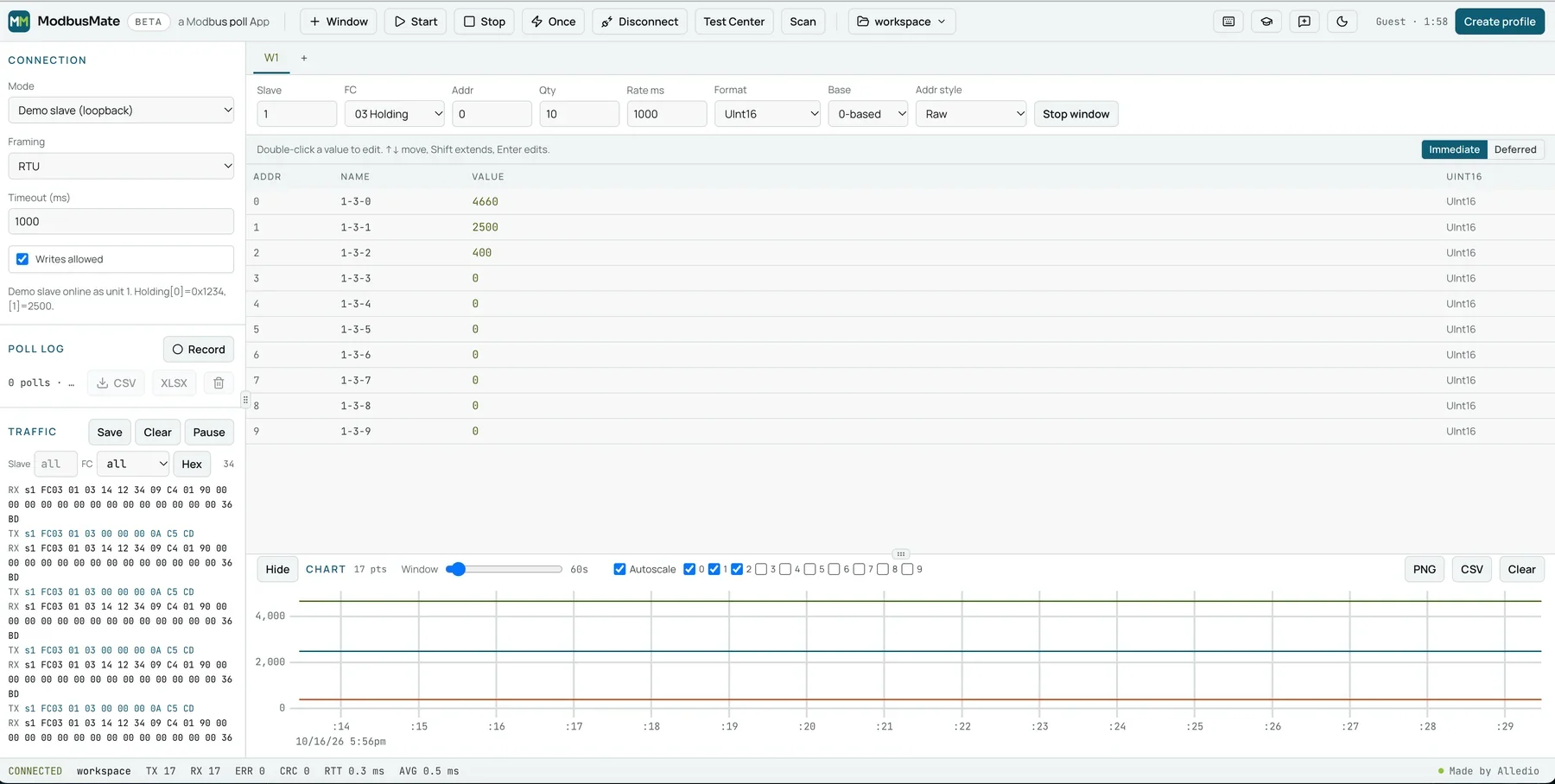
Testing a Modbus device should not start with an installer
On a commissioning day you want to see one register. Instead you hunt for the laptop that has the licence, wait for an IT admin to approve an install, or discover the tool only runs on Windows. Free desktop tools help, but they cover fewer function codes, have no charting and look their age.
ModbusMate puts a full Modbus master in a browser tab. It works on Windows, macOS, Linux and ChromeOS with the same screen, the same shortcuts and the same saved workspaces.
What you get in the tab
The density of a desktop Modbus master, built for the jobs integrators and firmware engineers do every week.
Poll several devices side by side
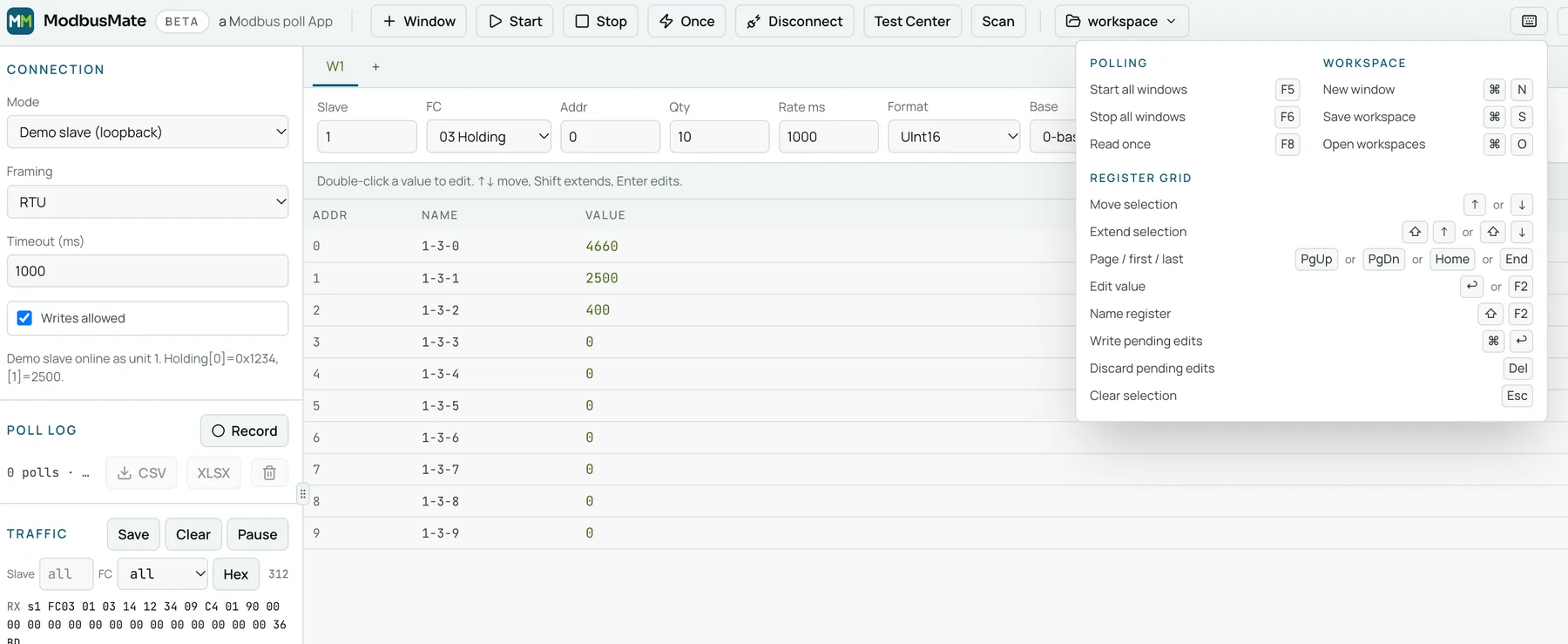
Open as many poll windows as you need, each with its own unit ID, function code, address range and scan rate. F5, F6 and F8 work the way your hands expect.
See every byte on the wire
The traffic log shows each request and response with CRC or LRC checks, timing and filters. Counters for TX, RX, errors, CRC failures and round-trip time sit in the status bar.
Decode values without a calculator
Read Int and UInt 16, 32 and 64, Float32 and Float64 in ABCD, CDAB, BADC or DCBA order. Apply scaling (a × raw + b), switch between 0- and 1-based addressing and name your registers.
Send exactly the frame you want
The Test Center builds raw PDUs with presets for FC01 to 06, 08, 0B, 0F, 10, 11, 16, 17 and 2B, and a scan finds the unit IDs that answer.
Chart it, log it, share it
Plot registers live and export the chart as PNG or CSV. Log a polling session to CSV or XLSX for the commissioning report.
Safe on a live system
Monitoring-only mode blocks every write, so you can watch a running plant without risk. Saved workspaces, dark mode and an offline-ready app round it off.
How it works
- 1
Connect your adapter
Plug a USB to RS-485 or RS-232 adapter into your computer and wire it to the device. No hardware yet? Use the built-in demo slave.
- 2
Open ModbusMate and pick the port
Open the app in Chrome, Edge or Opera, choose the serial port and set baud rate (300 to 3,000,000), parity, stop bits and RTU or ASCII.
- 3
Poll, read and log
Add a poll window, enter unit ID and register range, and watch values, traffic and counters update live. Save the workspace for next time.
What it supports, plainly
ModbusMate talks to serial devices through the Web Serial API. That decides what works today.
See it before you plug in
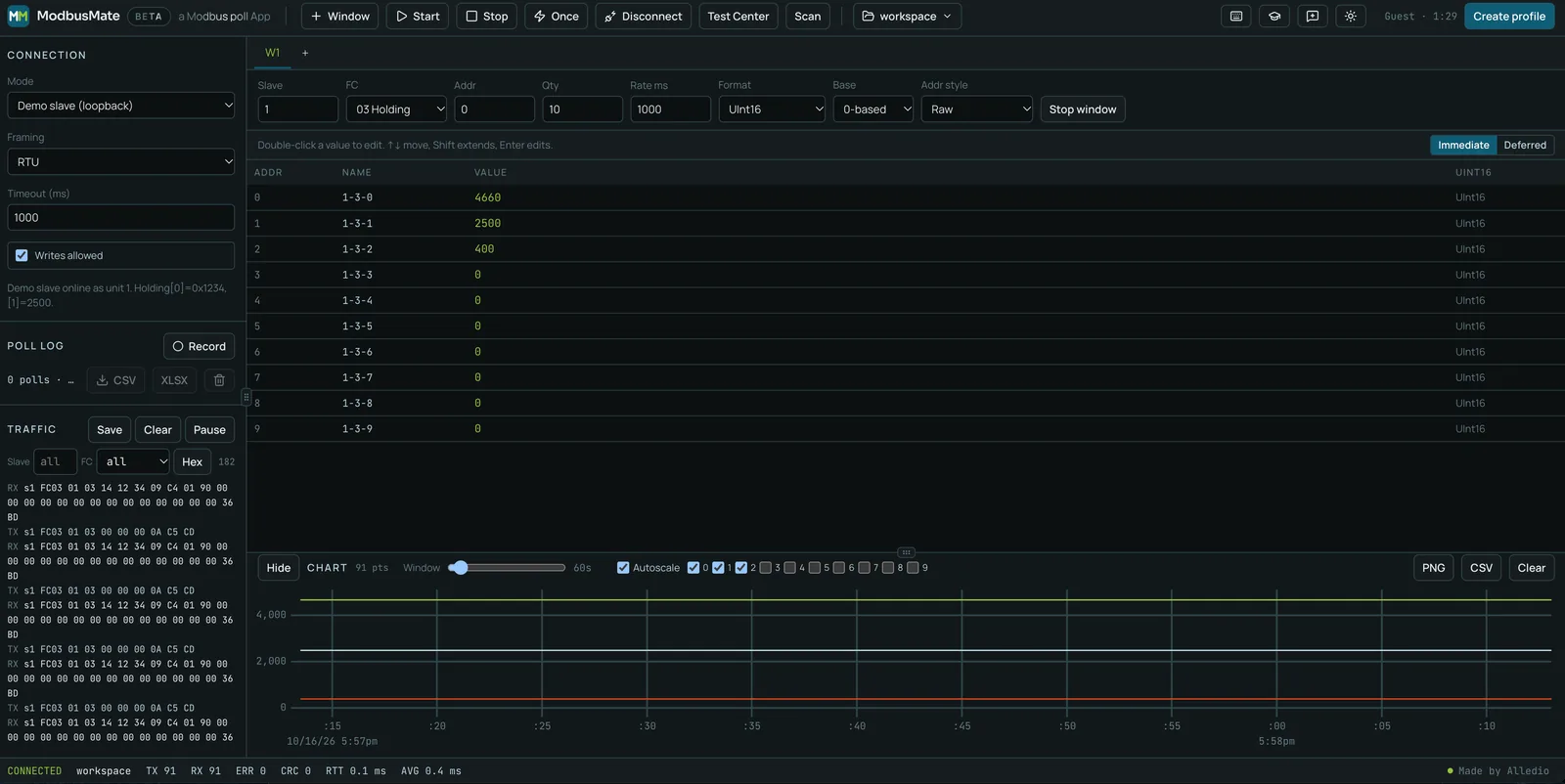
Feature comparison of Modbus testing tools
Pick the tool that fits the job. If you need Modbus TCP today, a desktop master is still the right choice.
| ModbusMate | Modbus Poll | QModMaster | Other browser testers | |
|---|---|---|---|---|
| Price | Free | USD 129 per licence (1–2 seats) | Free | Mostly free |
| Runs on | Chrome, Edge or Opera on Windows, macOS, Linux, ChromeOS | Windows | Windows and Linux | Chrome or Edge on desktop |
| Install | None, opens in the browser | Installer | Download and unpack | None |
| Modbus RTU / ASCII | RTU and ASCII | RTU and ASCII | RTU | Mostly RTU |
| Modbus TCP | Coming soon | Yes, plus UDP | Yes | No |
| Multiple poll windows | Yes | Yes | No | Varies |
| Traffic log with CRC check | Yes | Yes | Bus monitor | Varies |
| Charting and export | Chart to PNG/CSV, log to CSV/XLSX | Logging to Excel and text | No | Varies |
| Limits | Free profile after a 5-minute guest session | Trial disconnects after 10 minutes | None | Varies |
Competitor details from the vendors’ public pages, October 2026. Modbus Poll is a product of Witte Software; QModMaster is an open-source project.
Who uses it
HVAC and BMS integrators
Check that a fan coil controller, VAV box or meter answers before you map it into the BMS. Prove wiring, address and parity in minutes.
Controls and commissioning engineers
Walk the register list on site, log values for the report and leave writes locked with monitoring-only mode.
OEM device developers
Exercise your firmware with raw frames, odd function codes and byte orders. Watch CRC errors and timing while you debug.
PLC and automation technicians
Troubleshoot a serial network from any laptop on the floor, even one you are not allowed to install software on.
Students and trainers
Learn Modbus on the demo slave with no hardware, then move to real devices with the same screen.
Made by Alledio
We design and build HVAC room devices with Modbus RTU at Andivi in Slovenia. We wrote ModbusMate because we test our own hardware every day and wanted a tool we would enjoy using. Made by people who answer FC03 for a living.


Questions engineers ask
Is ModbusMate really free?
Yes. It is free during the beta and will stay free after it. You can start with a five-minute guest session; to keep going you create a free profile with your name and email.
Which browsers does it work in?
Chrome, Edge and Opera on desktop computers running Windows, macOS, Linux or ChromeOS. Firefox and Safari do not support the Web Serial API, and phones and tablets are not supported.
Does ModbusMate support Modbus TCP?
Modbus TCP is coming soon. Today ModbusMate works with Modbus RTU and Modbus ASCII over RS-485 or RS-232.
What hardware do I need?
A USB to RS-485 or RS-232 adapter that your operating system shows as a serial port. Common adapters based on FTDI, CP210x or CH340 chips work.
Can I try it without a device?
Yes. A built-in demo slave answers as unit 1, so you can learn the poll windows, data formats and traffic log before you connect anything.
Can it write registers and coils?
Yes, with the standard write function codes 05, 06, 0F and 10, plus raw frames in the Test Center. Switch on monitoring-only mode when you want writes blocked on a live system.
How does it compare with desktop Modbus tools?
ModbusMate runs in the browser on any desktop operating system and needs no install. Desktop Modbus masters are installed applications, and some of them also support Modbus TCP, which is coming soon to ModbusMate. The feature comparison above lists the details.
How do I report a bug or suggest an idea?
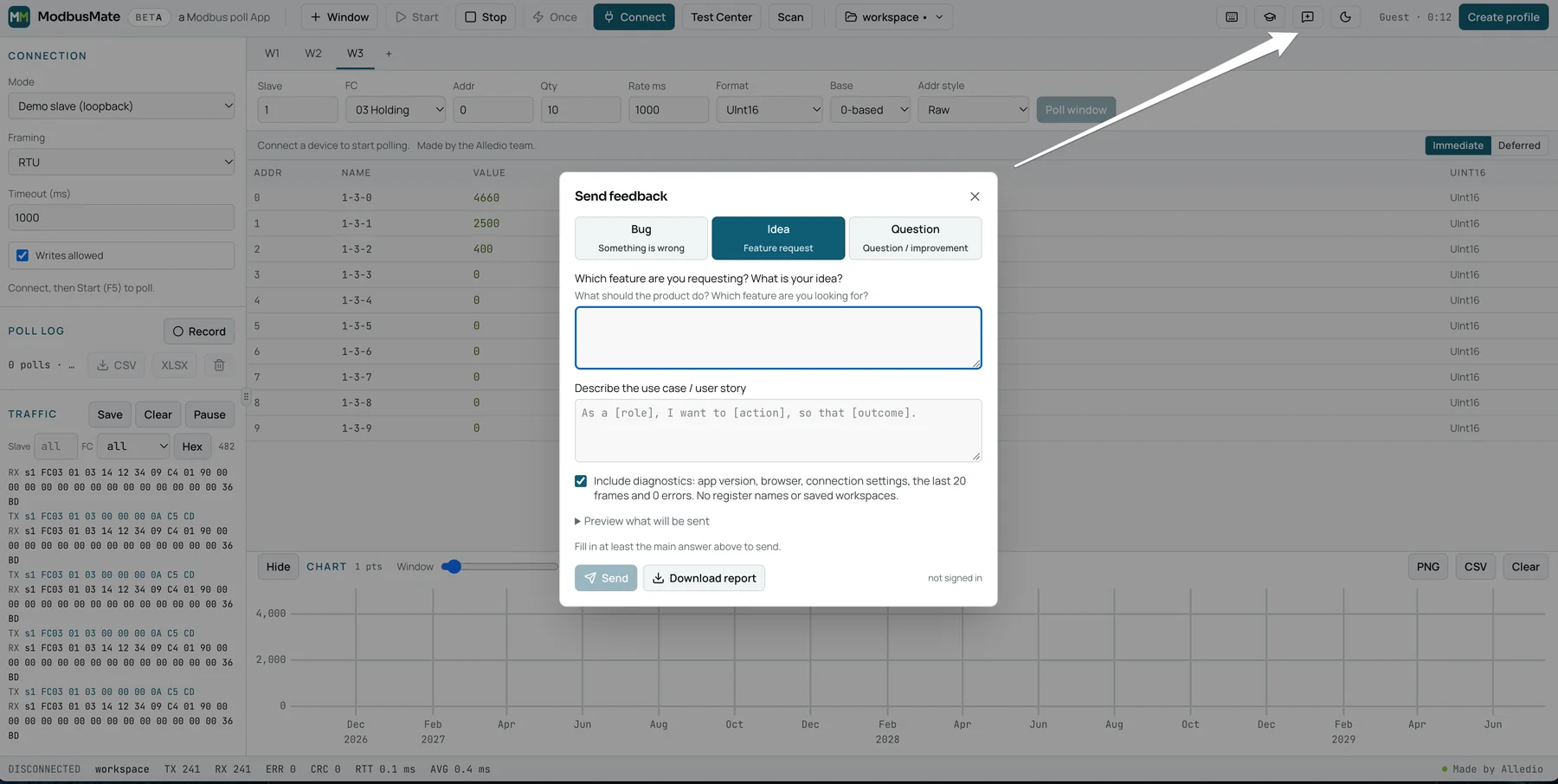
Use the Send feedback button (speech bubble with a plus) in the app toolbar. Pick Bug, Idea or Question. A bug report asks for the expected and the actual result, how often it happened and any workaround; an idea asks which feature you want and your use case. You can include diagnostics (app version, browser, connection settings, the last frames and errors, but no register names or saved workspaces). Send delivers the report to the ModbusMate team with your name and email. If you are offline, Download report saves it as a file you can email to info@alledio.com.
Which keyboard shortcuts does ModbusMate have?
The keyboard button in the app toolbar shows the same list. On a Mac, Ctrl is ⌘ (Command).
- Polling: F5 start all windows, F6 stop all windows, F8 read once
- Workspace: Ctrl+N new window, Ctrl+S save workspace, Ctrl+O open workspaces
- Register grid: ↑ or ↓ move selection, Shift+↑ or Shift+↓ extend selection, PgUp, PgDn, Home or End page / first / last, Enter or F2 edit value, Shift+F2 name register, Ctrl+Enter write pending edits, Del discard pending edits, Esc clear selection
Is there a tutorial?
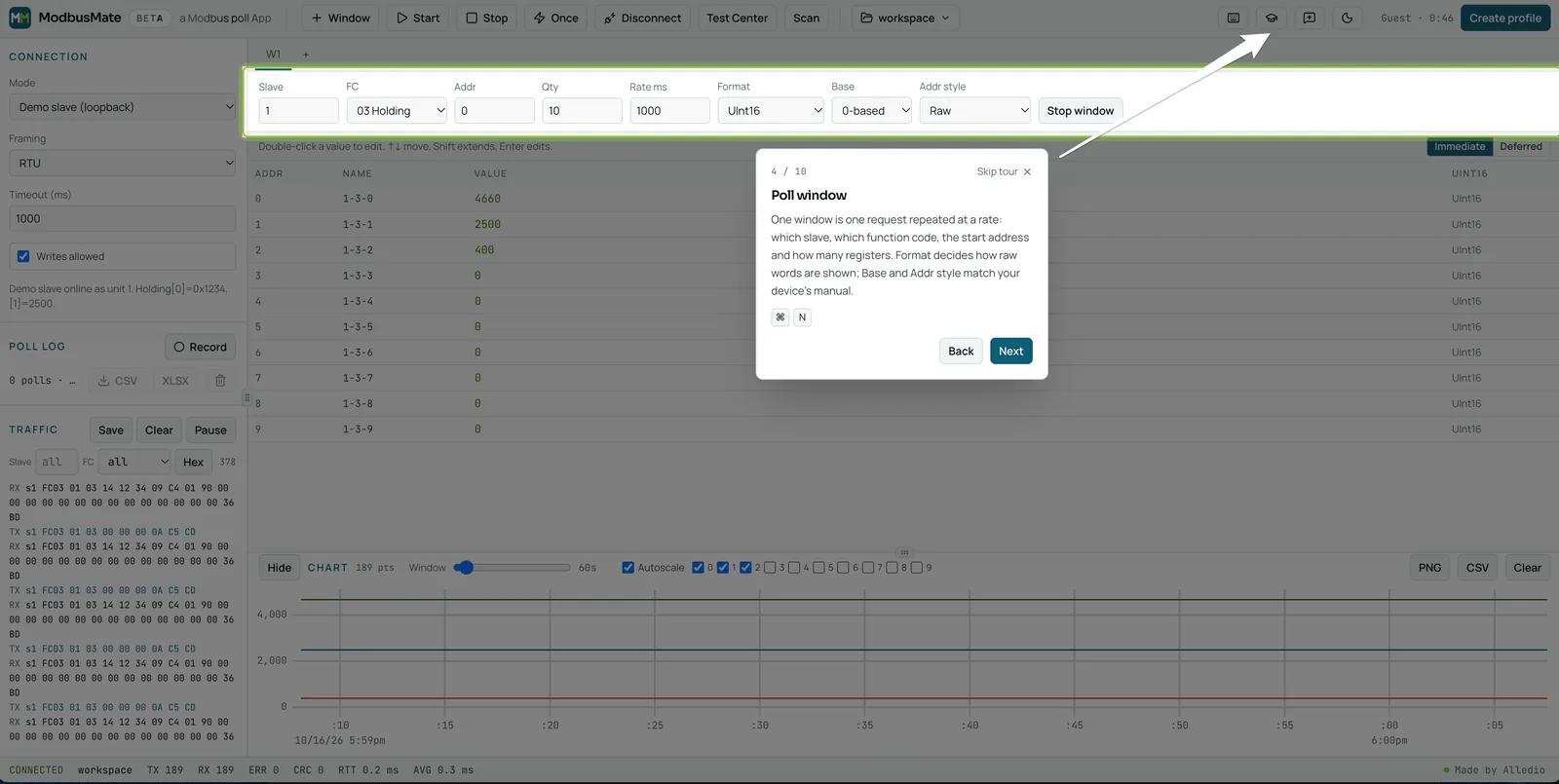
Yes, a 10-step guided tour is built into the app. It starts by itself the first time you open ModbusMate on a screen at least 720 px wide, and you can restart it any time with the Take the tour button (graduation cap) in the app toolbar. It walks through the connection settings, a poll window, the register grid, the chart, the poll log and traffic, and saving your workspace. On the demo slave it can connect and start polling for you.
Who makes ModbusMate?
Andivi d.o.o. (www.andivi.com), the Slovenian company behind Alledio HVAC room devices.
Your next Modbus test starts in a browser tab
Free, RTU and ASCII, Chrome or Edge on desktop.

