
Modbus RTU troubleshooting starts with one question: what came back? No reply at all, a timeout, means no complete reply arrived before the master gave up, so check serial settings, slave ID, A/B polarity, termination, biasing and power. Garbled replies or CRC errors mean bytes arrive damaged, which points to a baud rate or parity mismatch or to noise. An exception reply means the link is fine and the device rejected the request, so fix the address, quantity or function code.
The checklist below covers those cases in the order to test them on site. It works with any Modbus master and shows each symptom in ModbusMate, a free browser tool by Alledio. A symptom, cause and test table sums it up.
Modbus RTURS-485TroubleshootingTimeoutsCRC ErrorsCommissioning
ModbusMate is an online Modbus tester for Chrome, Edge or Opera on a desktop, so there is nothing to install on the service laptop. You get a five-minute guest session, then a free profile.
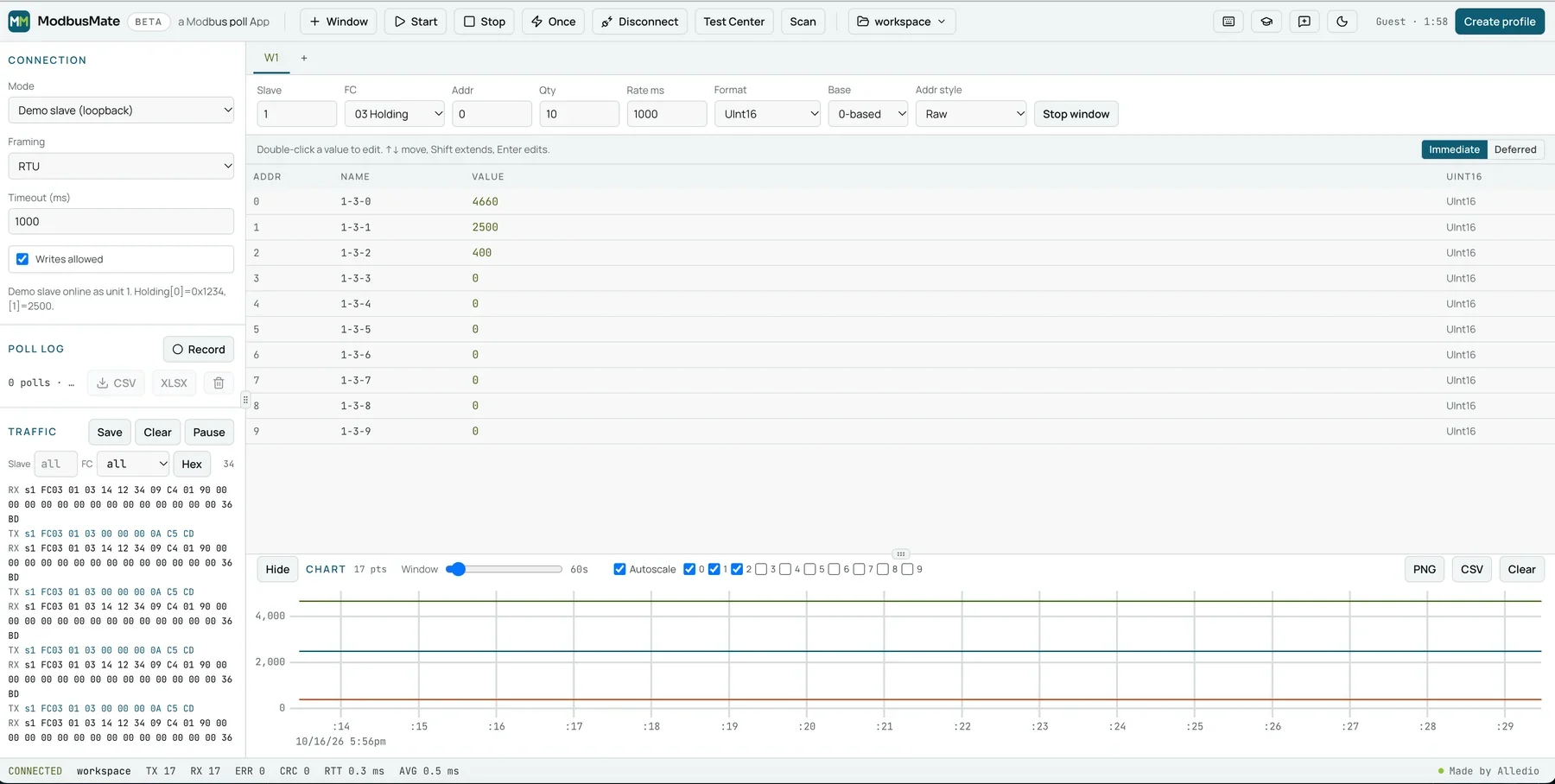
Four terms come up throughout. RS-485 is the two-wire differential bus most Modbus RTU devices use. The PDU is the function code plus its data. The CRC is a 16-bit checksum at the end of every RTU frame that lets the receiver reject damaged frames. Web Serial is the browser interface that lets a web page open a serial port only after you pick it.
Read the symptom first: timeout vs CRC error vs exception
Every Modbus communication error falls into one of three groups, so read what the master reports before you touch a terminal. In ModbusMate the status bar counts TX (requests sent), RX (replies received), ERR (failed polls of any kind), CRC (frames rejected for a bad checksum or for being too short) and RTT (round-trip time of the last answer). These counters tell you which checklist to open.
- Timeout, no response. TX climbs, RX stays still, ERR rises with every poll and the poll window shows a response timeout. Start with Checklist 1, then 2.
- Garbage or CRC errors. RX moves but CRC climbs too, and the traffic log marks CRC errors, runt frames or incomplete frames. Check baud rate and parity, then noise and termination, then timing.
- Exception reply. RX climbs and CRC stays at zero, but ERR rises and the traffic log decodes an exception such as ILLEGAL DATA ADDRESS. Go straight to Checklist 4.
Failure on every poll is a setting or wiring fault. Random failures under load suggest noise, timing or a second master.
Checklist 1: serial settings and slave ID
A Modbus RTU slave stays silent unless every serial setting matches and the request carries its address. One wrong value gives you modbus rtu no response, not an error message.
- Baud rate must match exactly; 9600 and 19200 are the most common. A mismatch gives silence or a stream of CRC errors.
- Data bits, parity and stop bits. The Modbus specification makes 8 data bits with even parity the default, and two stop bits without parity. Many devices ship with 8N1, so trust the device over the standard.
- Framing: almost every field device uses RTU. Choose ASCII only when the manual says so.
- Slave ID: 1 to 247, unique on the bus. Address 0 is broadcast, and devices never reply to it, so a test on ID 0 always times out.
- Port and adapter: pick the right serial port and install the adapter driver. If your adapter switches direction on the RTS line, tick RTS toggle.
Read live settings from the device's menu if it has one. When nobody knows the address, Scan can sweep a range of slave IDs. Starting from zero? Follow the four steps to test a Modbus RTU device.
Checklist 2: RS-485 wiring, termination and biasing
If settings are right and the device stays silent, or CRC errors come and go, check the physical layer and change one thing at a time.
- A/B polarity. Vendors disagree on which line is A and which is B, and some label them D+ and D−. Swapping them takes ten seconds and fixes many silent buses.
- Common reference. Connect the signal ground or 0 V of adapter and devices, so the voltage between them stays within what the transceivers accept.
- Topology. One daisy chain from device to device; no star wiring, short branches.
- Termination. On a long trunk, fit 120 Ω across A and B at both ends of the cable and nowhere else. A one-metre bench lead rarely needs it.
- Biasing. An idle bus needs one bias network to hold the lines in a defined state. Without it, noise can look like data and break the first byte of a reply. Bias enabled on many devices at once overloads the bus.
- Power. Check the device is powered and booted, and that a shared supply does not dip when relays or fans switch.
CRC errors that rise when a pump or fan starts mean noise: use twisted pair away from power wiring. A deeper RS-485 wiring guide will follow in a separate post.
Checklist 3: timing (timeouts, inter-frame gap, poll rate)
A Modbus timeout that appears only sometimes, or under load, usually belongs here, because wiring and settings are already correct.
- Response timeout. How long the master waits for a reply. ModbusMate starts at 1000 ms and accepts 100 to 10,000 ms. Slow devices and gateways may need more. If it is too short, the master records a timeout; a late reply may still appear in the traffic log after the request has already failed.
- Inter-frame gap. An RTU frame ends with 3.5 character times of silence, fixed at 1.75 ms above 19200 baud. Some USB adapters and converters pause mid-frame, so the receiver sees two broken pieces. Leave the Inter-frame gap field empty for the automatic value and raise it for converters that split frames.
- Poll rate. All poll windows share one bus. Read RTT in the status bar and keep the rate well above the round-trip time multiplied by the number of active windows.
- Other masters. Two masters on one bus collide and cause random timeouts and CRC errors. Disconnect the BMS controller or PLC while you test.
Checklist 4: request errors (address, quantity, function)
An exception is good news for the link: the device heard the request and refused it. The reply's function code has its top bit set, 0x83 instead of 0x03, followed by an exception code that ModbusMate decodes by name. The common codes are:
- 01 ILLEGAL FUNCTION: the device does not support that function code.
- 02 ILLEGAL DATA ADDRESS: the address, or part of the range, does not exist.
- 03 ILLEGAL DATA VALUE: a value or the quantity is out of range.
- 04 SLAVE DEVICE FAILURE: the device could not carry out the request.
Then check the request against the manual. Address: a manual that lists register 40001 usually means protocol address 0, so set Base to 1-based if the manual counts from 1. Quantity: A single FC03 or FC04 request can ask for at most 125 registers, and a block that crosses an unused gap in the register map can fail even when both ends exist. Function: holding registers use 03, input registers use 04, and some devices accept single writes with 06 but not multiple writes with 16.
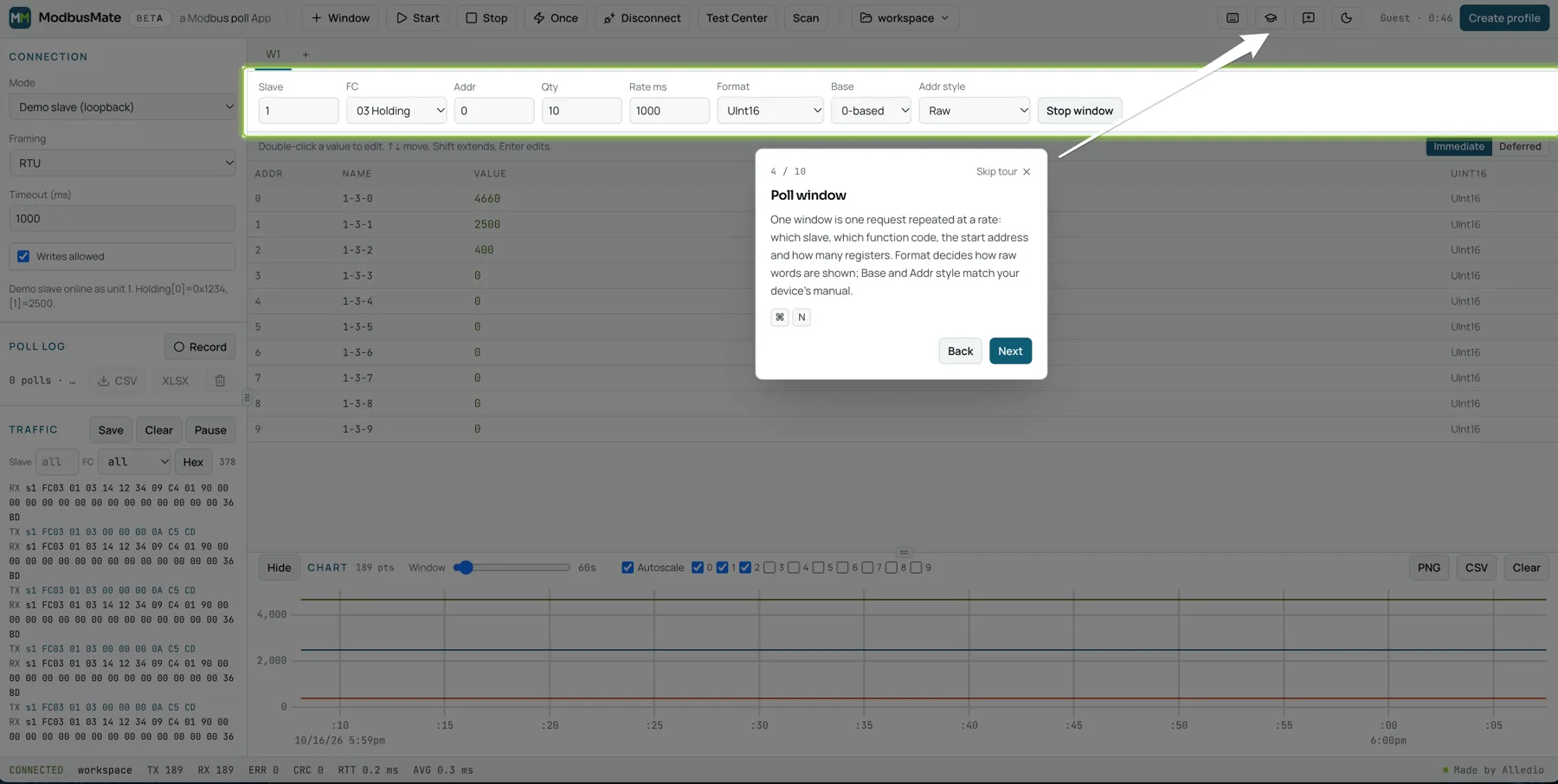
To see an exception safely, connect the demo slave and send the exception probe preset from the Test Center. A guide to exception codes and register offsets is planned as a follow-up.
Symptom → cause → test table
Work from the top down: settings and wiring cause most failures. Each test rules one cause in or out.
| Symptom | Likely cause | Test |
|---|---|---|
| Timeout on every poll, RX at 0 | Wrong baud rate, parity or slave ID | Read settings on the device, then Scan slave IDs |
| Timeout, settings confirmed | A and B swapped, no ground, no power | Swap A and B, connect 0 V, check the power LED |
| TX does not climb, adapter LED dark | Wrong port, driver or RTS handling | Pick the port again, check the driver, try RTS toggle |
| Random timeouts with more windows | Poll rate too fast or timeout too short | Compare RTT with the rate, raise the timeout |
| CRC errors on every reply | Baud rate or parity mismatch | Match serial settings on both sides |
| CRC errors when motors switch | Noise, missing termination | Reroute cable, twisted pair, terminate both ends |
| Incomplete or runt frames | Converter splits frames, no bias | Raise the inter-frame gap, check one bias network |
| Random CRC errors and timeouts | Second master on the bus | Disconnect the other master and retest |
| Exception 02 | Address offset or unmapped range | Try 1-based addressing, read one register |
| Exception 01 or 03 | Unsupported function or bad quantity | Check 03 versus 04, reduce the quantity |
Watch: ModbusMate in action
Modbus RTU troubleshooting FAQ
Why does my Modbus RTU device not respond?
Usually a serial setting or slave ID mismatch, swapped A and B lines, or no power. Check baud rate, parity and slave ID on the device itself, swap A and B, and confirm the adapter transmits.
What causes a Modbus timeout?
No complete reply arrived before the master gave up. Common causes are wrong serial settings or slave ID, wiring faults, missing termination or biasing, or a response timeout shorter than the device needs.
What does a CRC error mean in Modbus RTU?
Bytes arrived but the checksum did not match, so the frame was damaged or misread. Check that baud rate and parity match first, then look for noise, missing termination, a second master or a converter that splits frames.
If the device replies with an exception, is the wiring fine?
Yes. An exception is a valid reply with a correct checksum, so the link works. The device rejected the request: check the register address and offset, the quantity and the function code.
Can I troubleshoot Modbus RTU from a browser?
Yes. ModbusMate is a free Modbus master for desktop Chrome, Edge or Opera that uses Web Serial. It supports RTU and ASCII; Modbus TCP is coming soon. After a five-minute guest session you create a free profile.
Open ModbusMate and watch the traffic
Connect your USB-to-RS-485 adapter, start one poll window and watch the counters for a minute, then open the matching checklist. Comparing tools first? Read ModbusMate as a Modbus Poll alternative.
Limits: desktop Chrome, Edge or Opera; Modbus RTU and ASCII; Modbus TCP coming soon; a free profile after a 5-minute guest session.
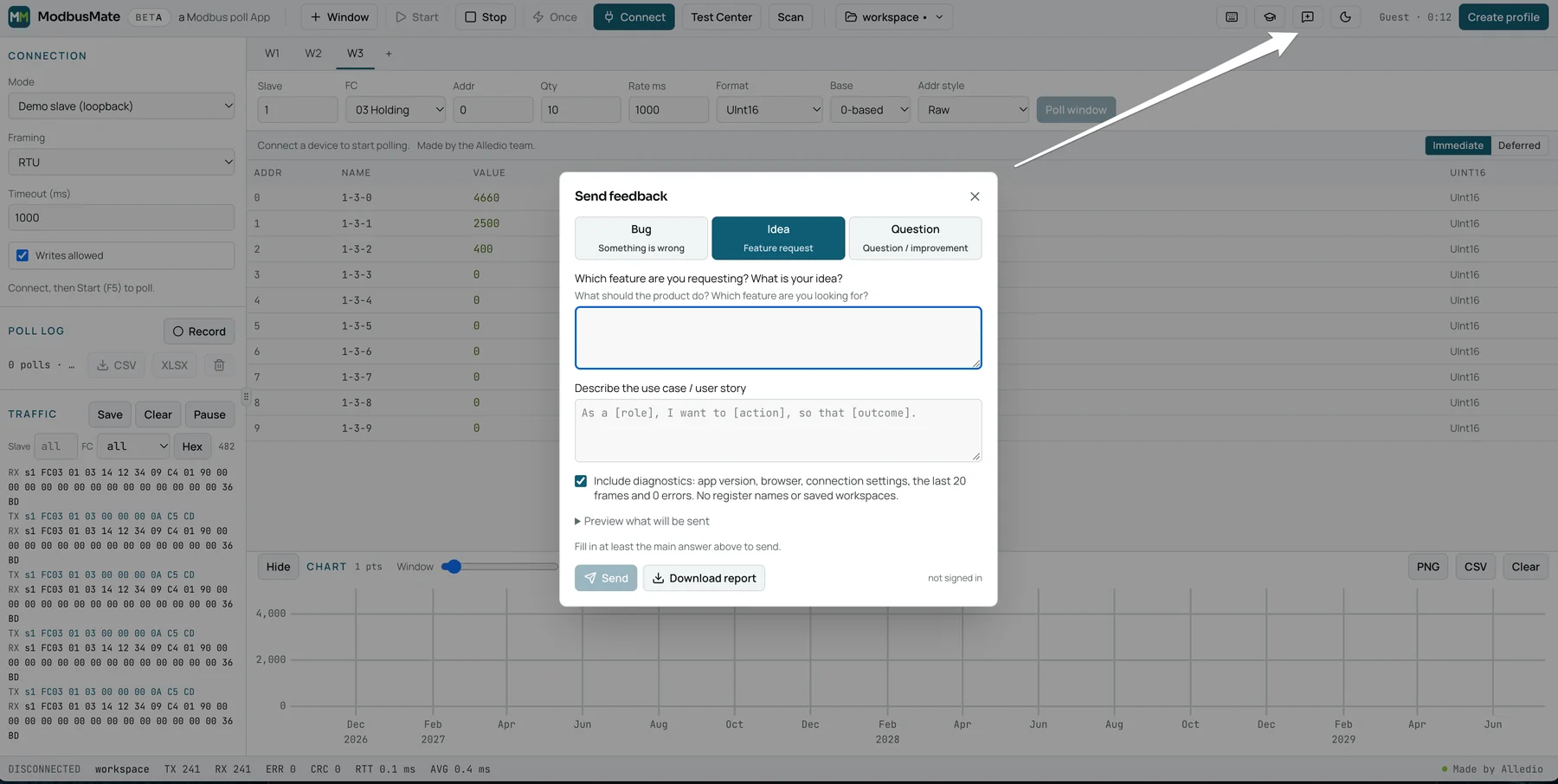
Found a fault this checklist misses? The feedback button sends a bug report, idea or question to the team and can include your connection settings and the last 20 frames, so we see exactly what you saw.