Looking for a Modbus Poll alternative that costs nothing and installs nothing? ModbusMate, made by Alledio, is a free Modbus master that runs in Chrome or Edge on your desktop. It talks Modbus RTU and ASCII to RS-485 devices through Web Serial, with no installer and no licence key. Poll windows, a Test Center, a traffic log with CRC checks, charts and CSV or XLSX logging are all there, and engineers who know Modbus Poll feel at home within minutes.
ModbusRS-485Free ToolBrowserWeb SerialCommissioning
As of October 2026, Modbus Poll costs USD 129 per licence for one or two seats, runs on Windows only, and its trial disconnects after 10 minutes and stops connecting after 30 days. ModbusMate has no licence fee: no install; a free profile after 5 minutes of guest use. Below is a feature-by-feature map, the honest gaps, and a 60-second test you can run without hardware.
What people want when they look for a Modbus Poll alternative
Modbus Poll from Witte Software is the reference Modbus master on many test benches. Most people searching for "modbus poll free" or "modbus poll trial" are not unhappy with its features. They hit one of three practical walls.
- Cost: a paid licence is hard to justify for occasional commissioning work.
- Trial limits: a 10-minute connection limit lands in the middle of a commissioning session.
- Platform: the tool is Windows-only, while many engineers work on a Mac, a Linux laptop or a locked-down company PC.
A real alternative therefore has to keep the mental model - windows, function codes, address base, word order - and remove the friction. That is the bar ModbusMate is built to clear, and why Alledio lists it among its free tools at Alledio.
ModbusMate in one minute: browser, Web Serial, no install
ModbusMate is a Modbus master (client) made by Alledio, the HVAC device brand of Andivi. It lives at modbusmate.alledio.com and runs in Chrome, Edge or Opera on Windows, macOS, Linux and ChromeOS. Plug in a USB-to-RS-485 adapter, pick the port and start polling.
Three terms explain how it works. RS-485 is the two-wire differential bus that most Modbus RTU devices use. Web Serial is a browser API that lets a web page read and write a serial port that you explicitly select. Each request carries a PDU (the function code plus its data), wrapped with the slave address and a CRC, a 16-bit checksum the receiver uses to reject corrupted frames.
Because it is a web app, there is nothing to install or patch by hand, and the browser can install it as an app that keeps working offline. The first five minutes run as a guest; after that, a free profile keeps your workspaces on that browser and lifts the time limit.
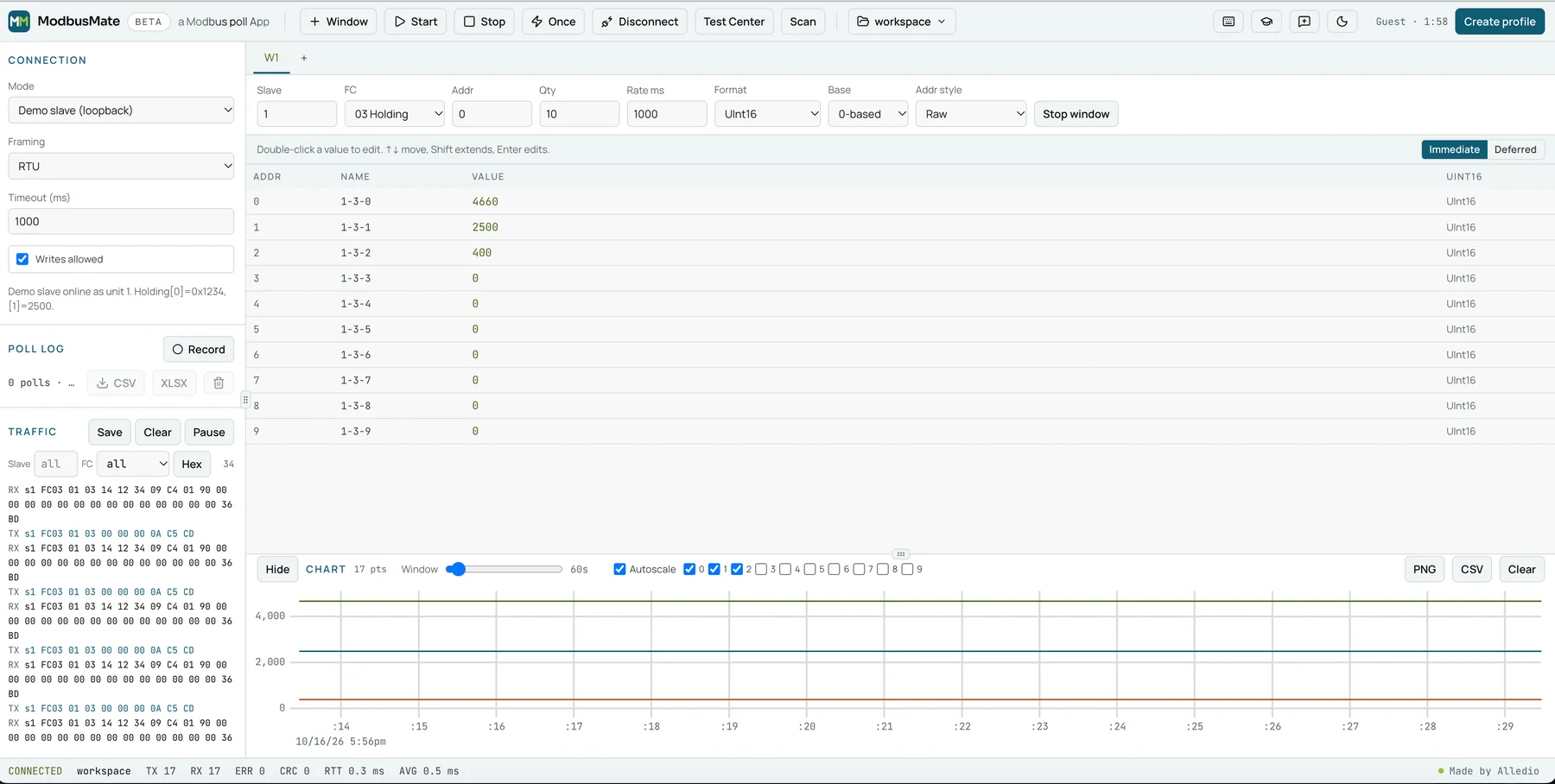
The default workspace polls the demo slave: ten holding registers, a live chart and the traffic log. Counters track TX, RX, errors, CRC failures and round-trip time.
Feature-by-feature: Modbus Poll vs ModbusMate
The table maps the features Modbus Poll users rely on to what ModbusMate offers today. Modbus Poll details come from Witte Software's published product, download and order pages as of October 2026; ModbusMate details come from the current beta.
| Feature | Modbus Poll (as of October 2026) | ModbusMate (beta) |
|---|---|---|
| Price | USD 129 per licence for 1–2 seats, perpetual | Free; a free profile after 5 minutes of guest use |
| Trial limits | Disconnects after 10 minutes; no connections after 30 days | No connection timer once you have a profile |
| Platform | Windows installer (x86, x64, ARM64) | Chrome, Edge or Opera on Windows, macOS, Linux or ChromeOS; no install |
| Transports | RTU, ASCII, TCP/IP, UDP, RTU/ASCII over TCP or UDP, Modbus/TCP Security | RTU and ASCII over Web Serial, plus a built-in demo slave; Modbus TCP coming soon |
| Poll windows | Multiple document windows, one per slave and data area | Multiple poll windows with Start all / Stop all |
| Test Center | Compose your own test strings | Raw PDU editor with presets per function code |
| Traffic monitor | Serial traffic monitoring | Traffic log with CRC/LRC checks, filters, hex and decoded views |
| Address base | 0 or 1 | 0-based or 1-based |
| Scaling | Value scaling | Scaled a × raw + b |
| Data formats | 28 display formats with word-order swap | Hex, Binary, ASCII, Int/UInt 16/32/64, Float32/64 in ABCD, CDAB, BADC and DCBA |
| Charting | Real-time charting | Live chart with PNG and CSV export |
| Logging | Text file or direct to Excel | Poll log to CSV or XLSX |
| Workspaces | Save workspace | Saved workspaces with JSON import and export |
| RTS toggle and broadcast | Yes | Yes |
| Address scan | Yes | Scan |
| Function codes | 01–06, 08, 0B, 0F, 10, 11, 16, 17, 2B/0E | 01–06, 08, 0B, 0F, 10, 11, 16, 17, 2B in Test Center presets |
| Write protection | Not in the published feature list | Monitoring-only mode blocks all writes |
| Excel OLE automation | Yes, via VBA | No |
The overlap is deliberate. Function codes, address base, word order, scaling, RTS toggle and broadcast behave the way Modbus Poll users expect, so a written test procedure translates almost line for line. The big difference is where it runs: any desktop with a Chromium browser, including Macs and Chromebooks.
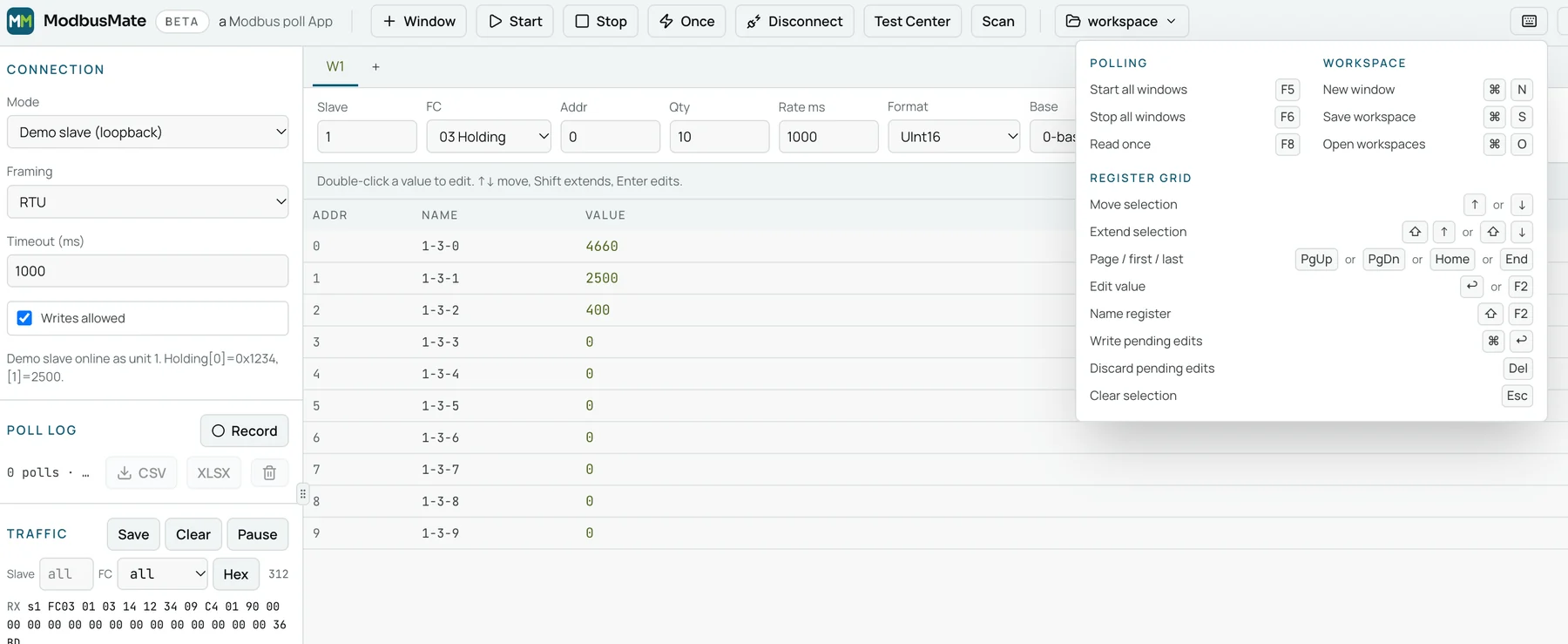
Keyboard control is complete too. F5 starts all windows, F6 stops them and F8 reads once; in the register grid, arrow keys move the selection, F2 or Enter edits a value and Shift+F2 names a register. That makes commissioning without a mouse realistic.
What ModbusMate does not do (yet): TCP, OLE, slave simulation
An honest Modbus Poll alternative has to show where it falls short. Four gaps matter today.
- No live Modbus TCP connection yet. Modbus TCP support is coming soon; until then, ModbusMate cannot connect to port 502 on a device. For TCP-only devices, use a desktop tool for now; behind a TCP-to-RTU gateway, you can still test the RS-485 side directly.
- No Excel OLE automation. Modbus Poll can be driven from Excel VBA; ModbusMate exports its poll log to CSV or XLSX instead.
- No slave simulator for external masters. The demo slave is a loopback inside the app for learning and dry runs; it cannot answer another master.
- Desktop Chromium browsers only. Firefox and Safari do not implement Web Serial.
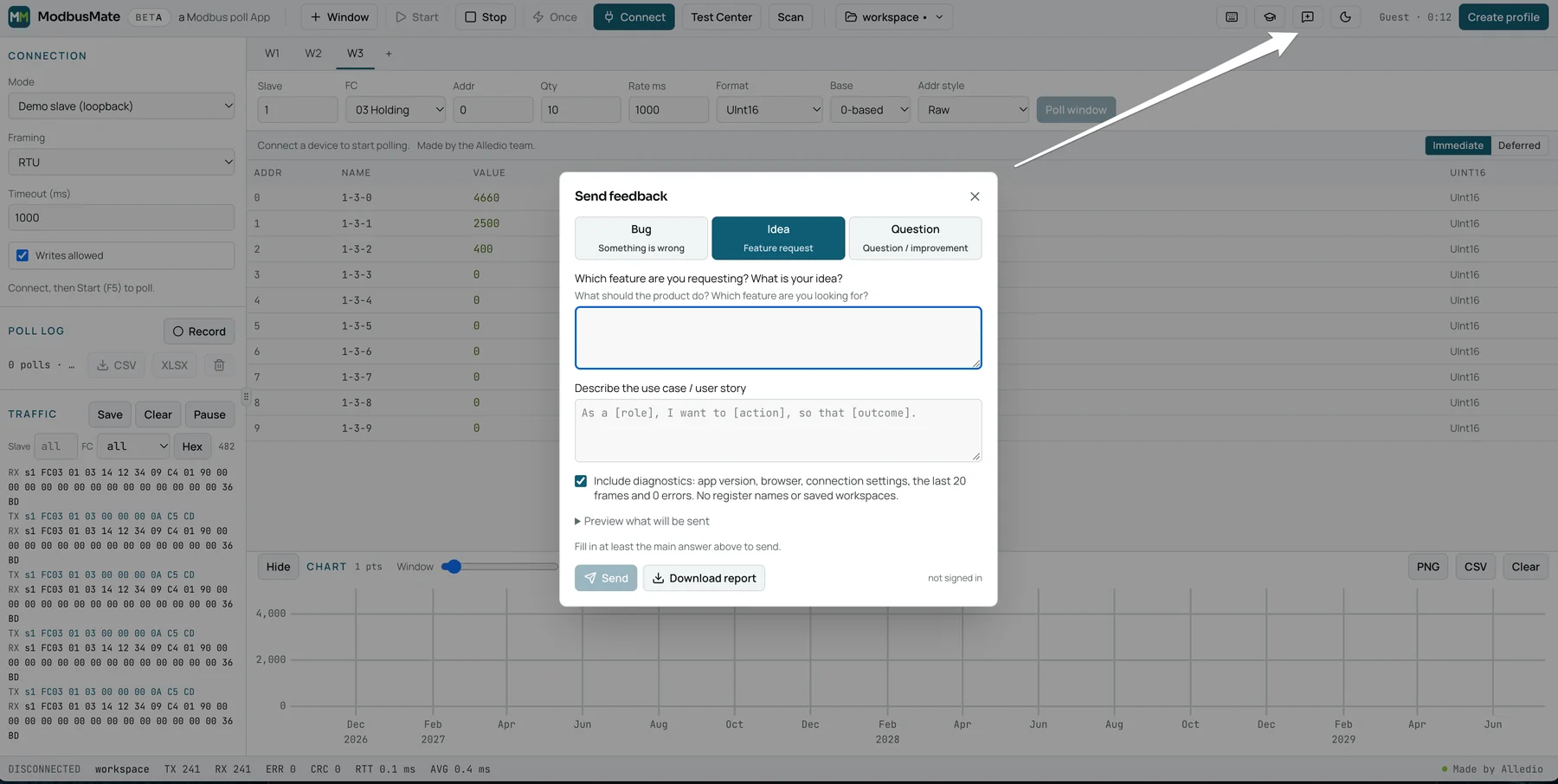
If one of these gaps blocks you, say so. The feedback dialog in the toolbar sends a bug report, an idea or a question straight from the app, and you can preview the optional diagnostics before anything is sent.
Other free options: QModMaster, CAS Modbus Scanner, mbpoll
If you need Modbus TCP today or prefer an installed app, these free tools are worth knowing. Details are as of October 2026.
- QModMaster: a free desktop Modbus master, mainly used on Windows, covering RTU and TCP, with a bus monitor.
- CAS Modbus Scanner from Chipkin: a free Windows tool for RTU and TCP with device discovery, and no registration.
- mbpoll: a free command-line master, best known on Linux and Raspberry Pi, covering RTU and TCP, well suited to scripts and automated tests.
Installed cross-platform apps such as Modbux and OpenPoll also cover TCP and slave simulation. ModbusMate's edge is that it needs no install at all; for TCP-only devices, pick one of these alongside it.
Try it in 60 seconds with the built-in demo slave
You do not need hardware to judge whether ModbusMate fits your bench. The built-in demo slave answers as unit 1, with holding register 0 set to 0x1234 (4660) and register 1 set to 2500.
- Open the app in Chrome or Edge on a desktop.
- Under Connection, set Mode to Demo slave (loopback) and press Connect.
- Keep the default poll window: Slave 1, FC 03 Holding, Addr 0, Qty 10, Rate 1000 ms. Press Start or F5.
- Watch register 0 read 4660 and register 1 read 2500 as the chart and traffic log fill.
- Change Format to Hex or Float32 CDAB, or Base to 1-based, and see how the same bytes read differently.
- Double-click a value to write it, then untick Writes allowed to switch to monitoring only.
The request frame in the log is worth reading once: 01 03 00 00 00 0A C5 CD. That is slave 1, function code 03, start address 0, a quantity of ten registers and the CRC bytes. When a CRC counter climbs on a real bus, check wiring and termination before you blame the device.
For real hardware, switch Mode to Web Serial, choose your adapter's port, and match baud rate, parity and slave ID. If your adapter needs RTS to switch transmit direction, turn on the RTS toggle.
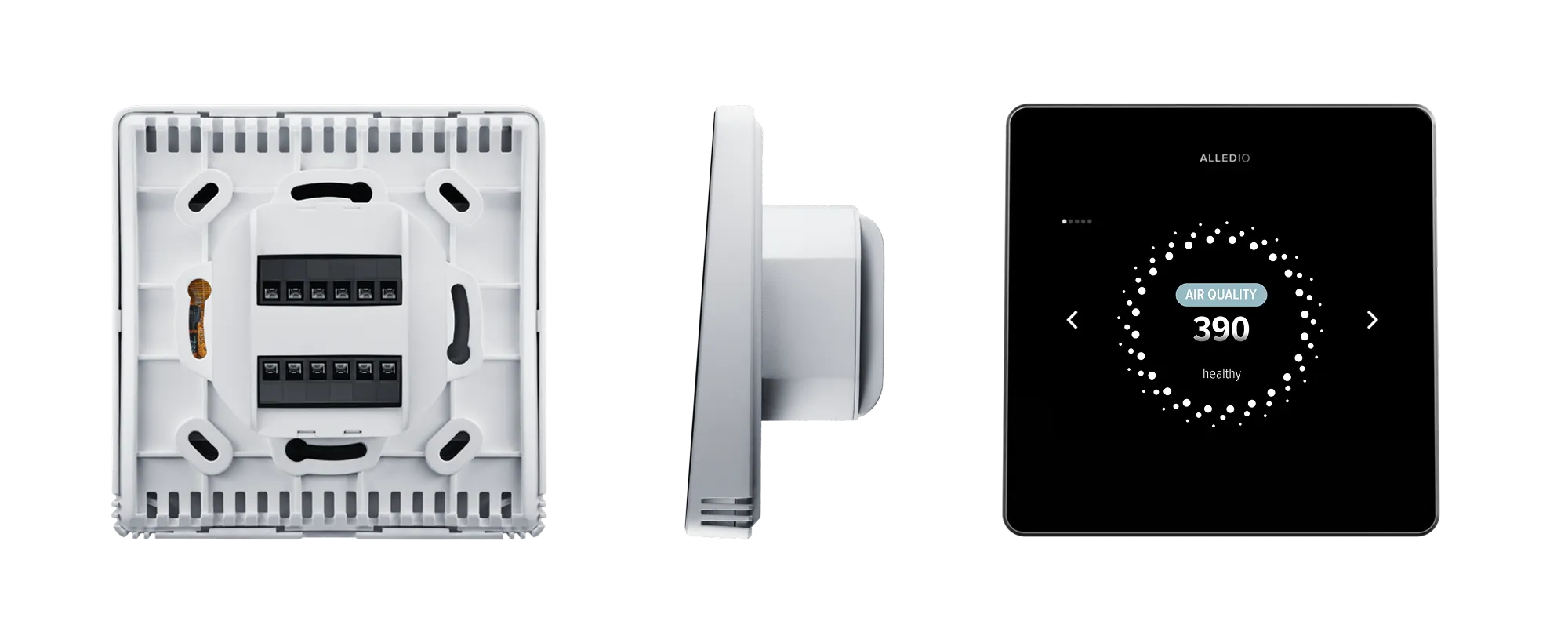
Building HVAC equipment? The Alledio Room Controller, Room Unit and Multi-Sensor speak Modbus RTU on RS-485 and are available as samples with demo or test firmware, so your team can poll them in ModbusMate on day one. Series supply is OEM only, with an MOQ of 1,000 pcs that is negotiable; see OEM for branding options and OEM Modbus room unit for the bus settings that matter on a wall device.
FAQ
Is ModbusMate really free?
Yes. There is no licence fee. You can use it as a guest for five minutes; after that, a free profile keeps your workspaces and removes the time limit.
Which browsers does it support?
Chrome, Edge and Opera on desktop, on Windows, macOS, Linux and ChromeOS. Firefox and Safari do not implement Web Serial, so ModbusMate cannot reach a serial port there.
Which USB-to-RS-485 adapters work?
Any adapter your operating system shows as a serial port, such as the common FTDI, CP210x or CH340-based types, once its driver is installed. If yours switches direction on RTS, use the RTS toggle. On Linux, your user may need permission to open serial ports.
Does my data leave my PC?
Modbus traffic runs between your browser and the serial port, and workspaces are stored in that browser. The server sees your profile details and any feedback you choose to send; if you tick diagnostics, that report includes connection settings and the last 20 frames, which you can preview first. Analytics run only if you accept them.
Does ModbusMate support Modbus TCP?
Not yet. Modbus TCP is coming soon. Today ModbusMate covers Modbus RTU and ASCII over serial, so for TCP-only devices use a desktop tool such as QModMaster or mbpoll in the meantime.
Can I stop it from writing to a live system?
Yes. Untick Writes allowed and the session switches to monitoring only, which blocks every write request until you enable writes again.
What to do next
Open the app, connect to the demo slave and run the request above. When this Modbus Poll alternative behaves the way your habits expect, plug in an adapter and point it at a real device. More utilities are on free tools at Alledio, and product news on ModbusMate.