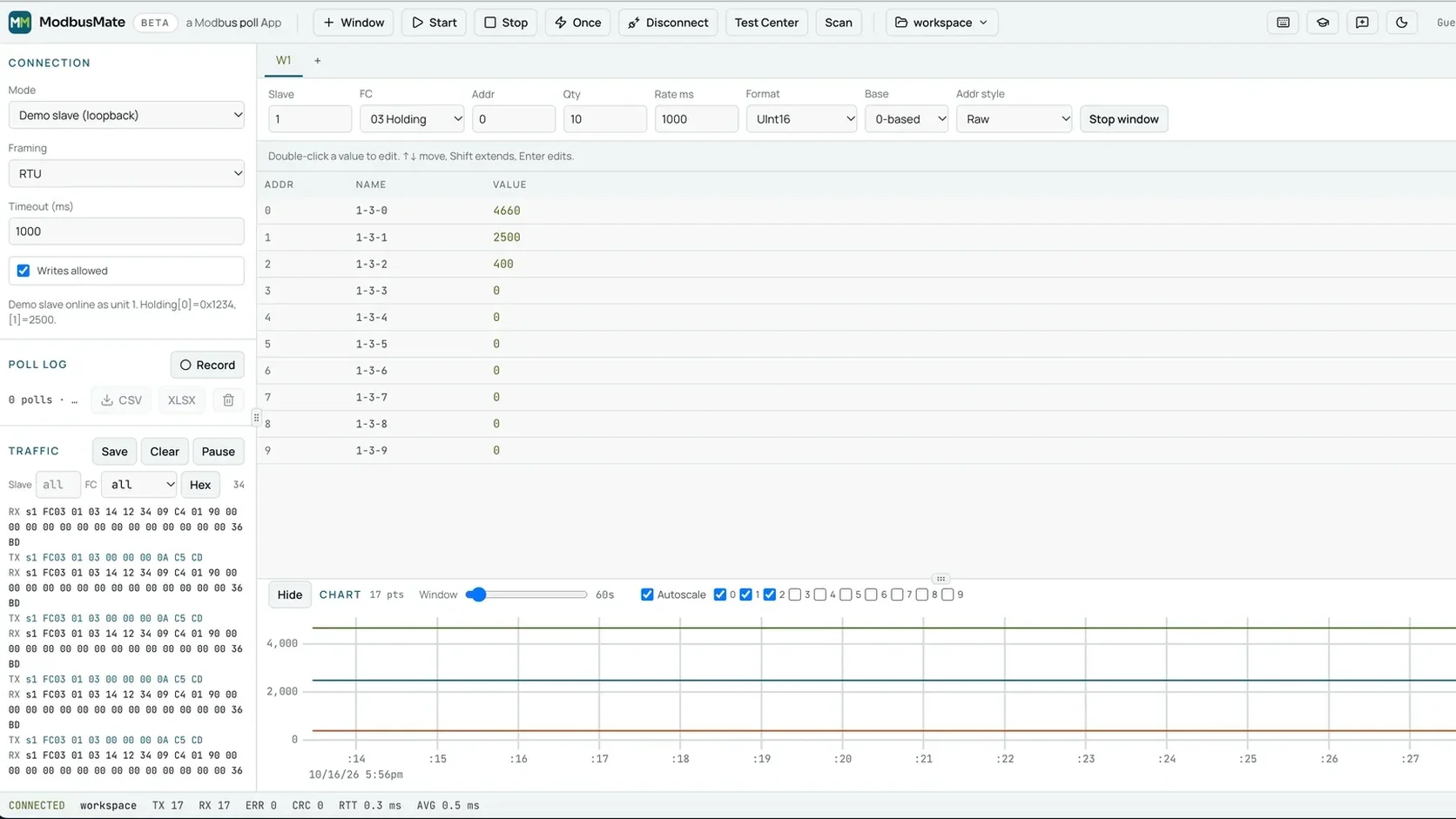
Today we are releasing ModbusMate to everyone: a free Modbus tester that runs in your browser. Plug a USB to RS-485 adapter into your laptop, open Chrome or Edge, and you can poll registers, read the raw traffic and chart live values from Modbus RTU and ASCII devices without installing anything. Here is why we built it, who it is for and what every feature does.
LaunchModbusRS-485Free ToolBrowserAndivi
Why Alledio is giving away a Modbus tool
At Alledio and Andivi we have one simple aim: give clients, partners and future clients far more value and care than they expect. Our HVAC room devices speak Modbus every day, and so do the people who integrate them. A good, free tool for that work is the most useful thing we could hand them.
There is also a team story. The engineers who built ModbusMate are now joining Andivi, and we are delighted to welcome fresh Modbus experts who know this protocol from the wire up.
Who this free Modbus tester is for
ModbusMate is for anyone who needs to talk to a Modbus device quickly and see exactly what happens on the bus:
- System integrators and commissioning engineers checking devices on an RS-485 trunk before handover.
- Firmware and hardware developers validating a register map on the bench.
- BMS and controls teams troubleshooting a device that stopped answering.
- Service technicians who need a reliable tool on whatever laptop is at hand, including locked-down company machines.
Every feature, and why it matters
We took the jobs engineers do every week and made each one fast. Here is what you get in the tab, and the problem each feature solves.
Multi-window polling
Open as many poll windows as the job needs. Each one has its own slave ID, function code, start address, quantity and poll rate, so setpoints and alarm bits can sit side by side. F5 starts every window, F6 stops them all and F8 reads once.
A built-in demo slave
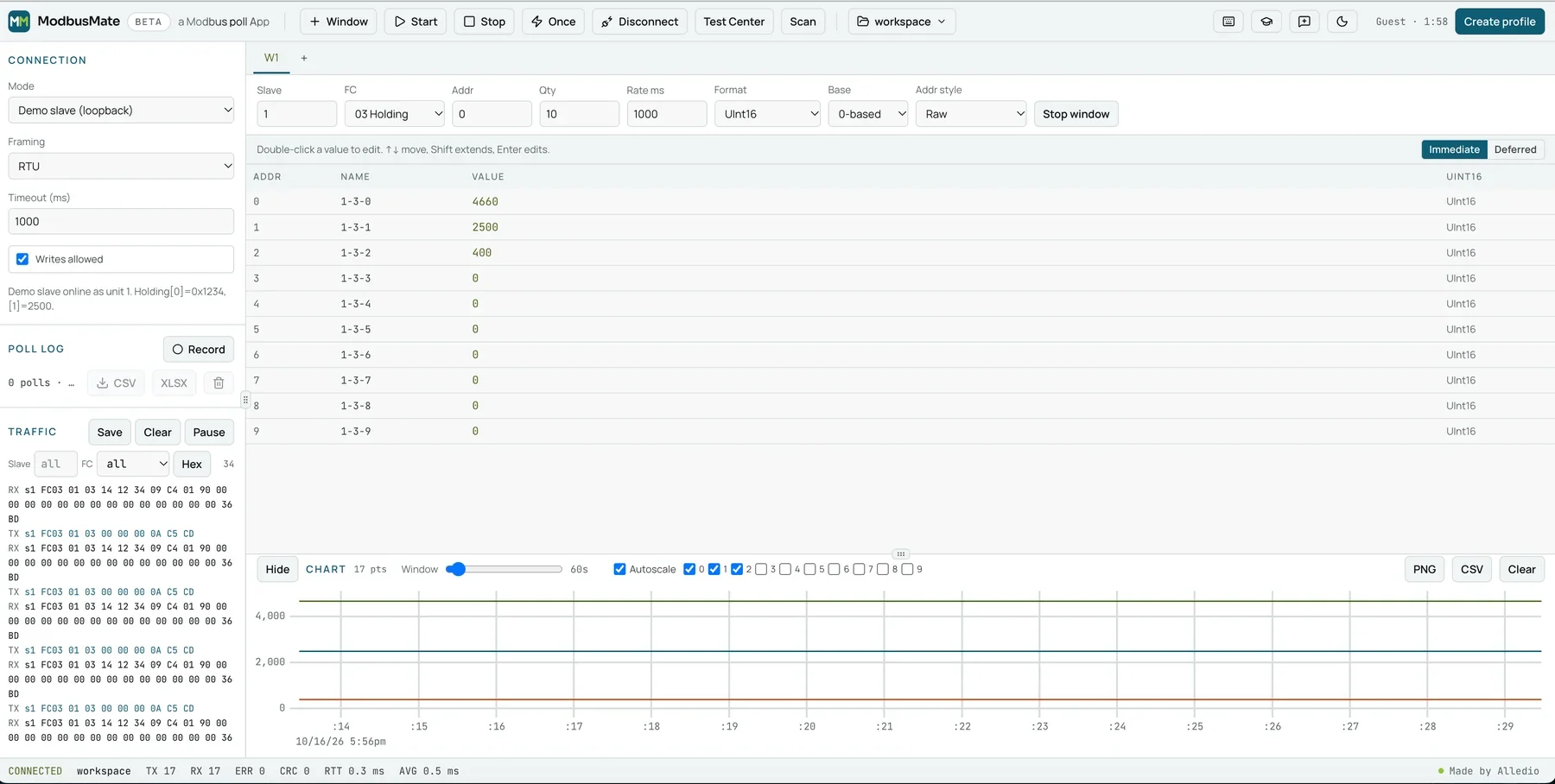
No device on the desk yet? Pick Demo slave (loopback) as the connection mode and a simulated device answers as unit 1. It is the quickest way to learn the app or show a colleague how Modbus works.
Test Center for raw frames
When a device misbehaves, send exactly the request you want. The Test Center builds raw requests with presets for function codes 01 to 06, 08, 0B, 0F, 10, 11, 16, 17 and 2B, so diagnostics, device identification and masked writes are a click away.
Device scan
Inherited an RS-485 trunk with no documentation? Scan runs through unit IDs and shows which slaves answer, so you can map a bus in minutes instead of guessing addresses one by one.
Traffic log with checksum checks
Every request and response appears in the traffic log in hex, with CRC (RTU) or LRC (ASCII) checks, filters by slave and function code, and Pause and Save buttons. The status bar counts TX, RX, errors, CRC failures and round-trip time, so a noisy line shows up in numbers, not hunches.
Live charts
Tick the registers you want to trend and the chart draws them as the polls come in. A window slider sets how far back you look, and PNG or CSV export turns a commissioning session into evidence you can attach to a report.
CSV and XLSX export
Press Record and the poll log captures every read. Export it to CSV for scripts or XLSX for the colleague who lives in Excel.
Formats for floats and word order
Choose how raw words are shown: signed or unsigned 16, 32 and 64-bit integers, Float32 and Float64 in all four byte orders (ABCD, CDAB, BADC and DCBA), plus hex, binary, boolean and ASCII. If a temperature reads as nonsense, switching the order usually fixes it in one click.
Scaling
The Scaled format applies a × raw + b to the value, so a register that holds tenths of a degree or a 4 to 20 mA count reads in real engineering units right in the grid.
0-based or 1-based addressing
Manuals disagree on whether the first holding register is 0 or 40001. Set Base to 0-based or 1-based and pick an address style so the numbers on screen match the datasheet in front of you, and the classic off-by-one error disappears.
Read-only monitoring mode
Untick Writes allowed and the app switches to Monitoring only, with writes blocked. That is the setting you want on a live building, where one wrong write can open a valve or stop a fan.
Saved workspaces
Ctrl+S saves the whole setup, including windows, register names and connection settings, as a workspace. Ctrl+O brings it back on the next visit, and JSON import and export let you hand a site setup to a colleague.
Dark mode
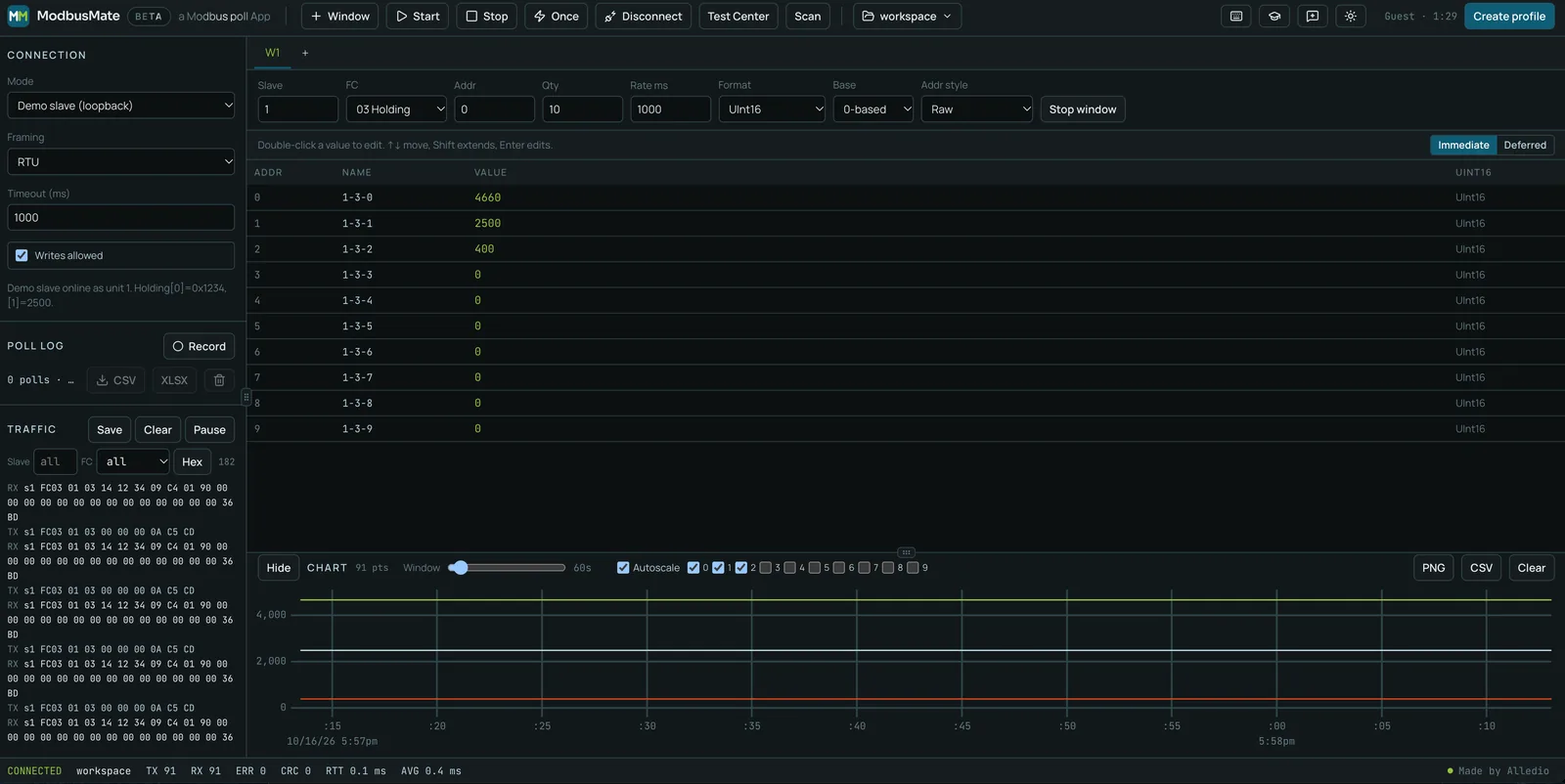
One click in the toolbar switches to a dark theme that is easier on the eyes in a plant room or during a late commissioning shift.
Works offline
Once loaded, ModbusMate is cached in the browser and tells you when it is ready to work offline, which matters in basements and plant rooms where the signal ends at the door.
Keyboard shortcuts
F5, F6 and F8 run polling; Ctrl+N, Ctrl+S and Ctrl+O handle windows and workspaces; and the register grid moves with the arrow keys, edits with Enter or F2 and writes pending edits with Ctrl+Enter. On a Mac, Ctrl is Command.
Designed so well you may not need a tutorial
As with every Alledio product, we took extra care with design. Controls sit where an engineer expects them, the register grid is dense without being cramped, and values that arrive turn green so you know at a glance that the device is answering. We honestly believe the app is simple enough to use without instructions.
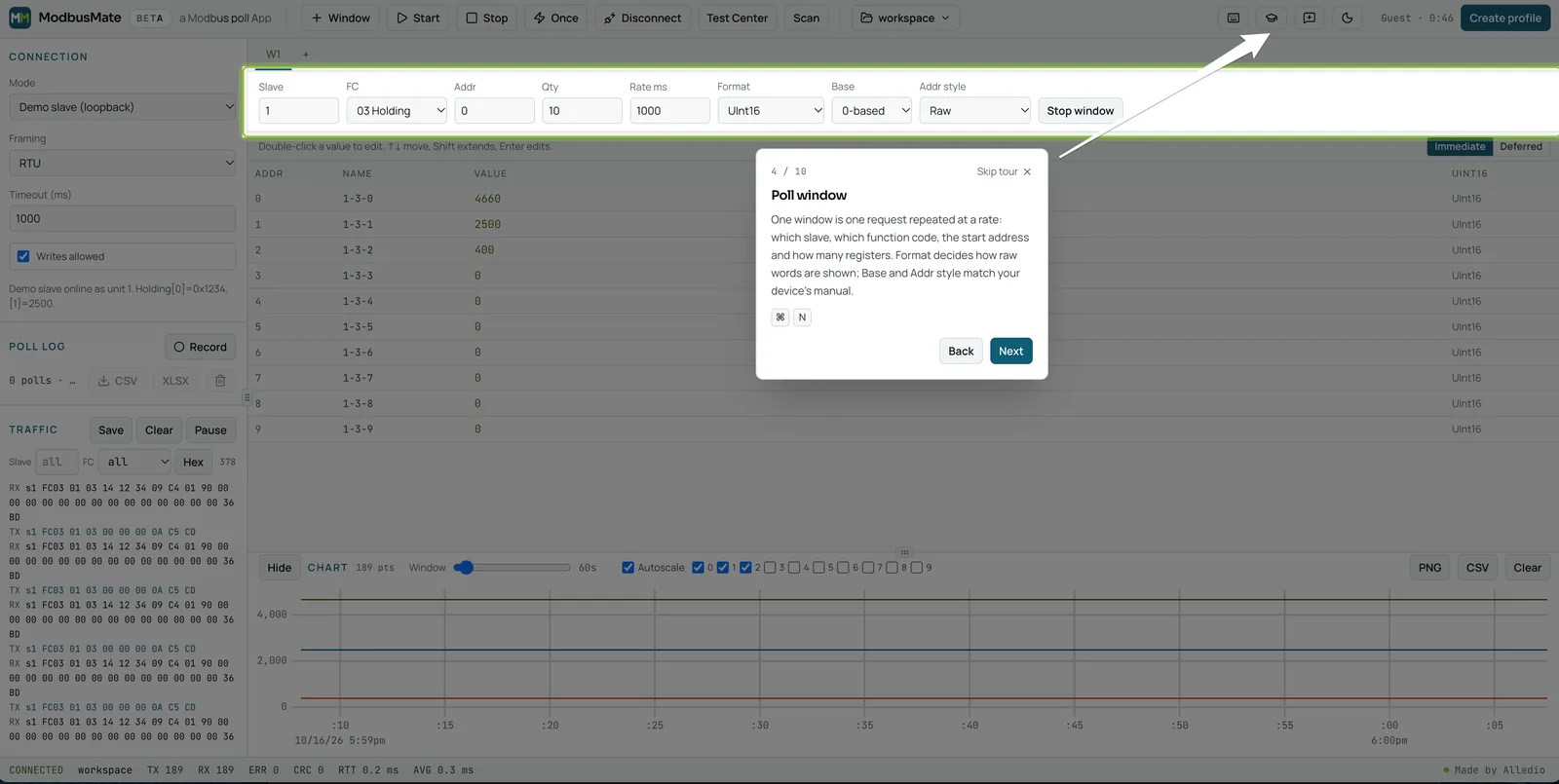
Still, there is a 10-step guided tour inside the app. It starts by itself on your first visit on a screen at least 720 px wide, and you can run it again any time with the Take the tour button (the graduation cap) in the toolbar. It walks through the connection settings, a poll window, the register grid, the chart, the traffic log and saving a workspace, and on the demo slave it can connect and start polling for you.
What it supports today
We prefer to be plain about this. ModbusMate talks to serial devices through the Web Serial API, which decides what works:
- Protocols: Modbus RTU and Modbus ASCII over RS-485 or RS-232. Modbus TCP is coming soon.
- Browsers: Chrome, Edge and Opera on desktop computers running Windows, macOS, Linux or ChromeOS. Firefox, Safari, phones and tablets do not support Web Serial.
- Hardware: any USB to RS-485 or RS-232 adapter your computer shows as a serial port, at baud rates from 300 to 3,000,000.
Free, with a free profile
Open the app and you get a five-minute guest session straight away. To keep going, create a free profile with your name and email. That is all it costs.
Tell us what to build next
This is a public release, and we want to hear from you. Comments and suggestions are welcome. In the app, click Send feedback in the toolbar and choose Bug, Idea or Question. You can attach diagnostics if you like; they never include register names or saved workspaces. Every report reaches the team that builds the app.
Built by the team behind Alledio devices
ModbusMate comes from the same company that designs and builds Alledio HVAC room devices with Modbus RTU in Slovenia. If you are testing one of ours, the app is a natural fit: the Alledio Room Controller for fan coil and room control with configurable I/O, the Alledio Thermostat with its Modbus relay extender for 3-speed fans, and the Alledio Room Unit for BMS-controlled rooms.
FAQ
Is ModbusMate really free?
Yes. Start with a five-minute guest session, then create a free profile with your name and email to keep going. There is no licence fee and no paid tier.
Which devices and browsers does it support?
Modbus RTU and Modbus ASCII devices over RS-485 or RS-232, through any USB adapter your computer shows as a serial port. It runs in Chrome, Edge and Opera on desktop. Firefox, Safari, phones and tablets are not supported.
Does it support Modbus TCP?
Modbus TCP is coming soon. Today ModbusMate works with Modbus RTU and Modbus ASCII over serial.
How do I report a bug or suggest a feature?
Click Send feedback in the app toolbar and choose Bug, Idea or Question. Your report goes straight to the ModbusMate team.
Start testing today
Open ModbusMate in Chrome or Edge and poll the demo slave in under a minute, or read the full ModbusMate product page for the complete feature list and a side-by-side comparison with other Modbus testing tools. Questions about Alledio devices or OEM projects? Contact the team.


