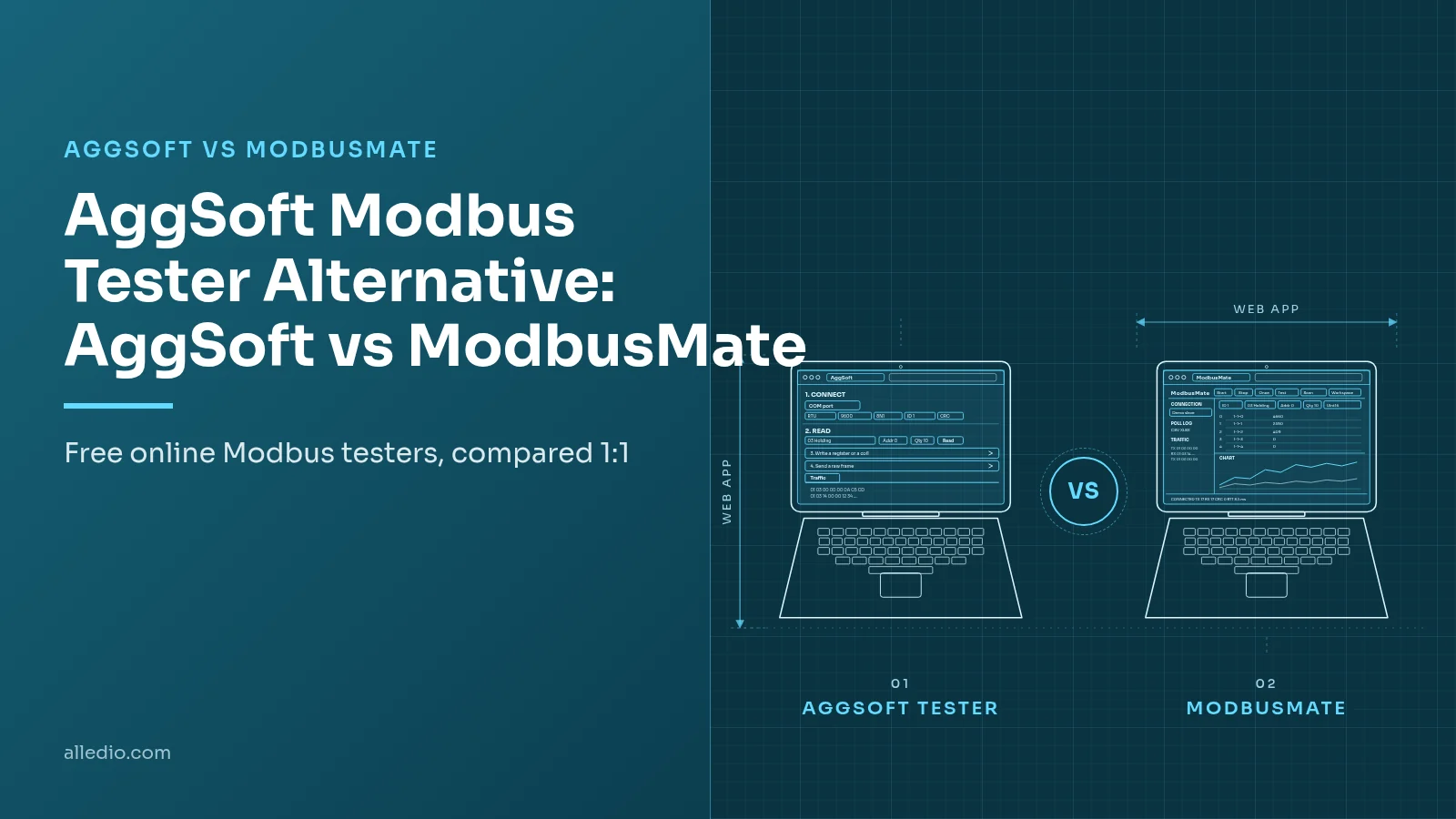
Looking for an AggSoft Modbus tester alternative? AGG Software's free online MODBUS Tester is a good tool for a quick check of one device. ModbusMate is the better pick once the job turns into continuous polling, logging, charts or several devices at once.
Both run in Chrome, Edge or Opera on a desktop and talk Modbus RTU or ASCII through a USB adapter. Both are free. This comparison shows where each one is stronger, so you can pick the right tool for the job.
Modbus RTUModbus ASCIIWeb SerialBrowser ToolFree ToolComparison
The short answer
Short answer: AggSoft is very good for a quick one-device check: it explains in plain words why a device does not answer and runs a reliability test of up to 100 requests. Choose ModbusMate when you need to keep polling, log to CSV or XLSX, chart values or watch several devices at once.
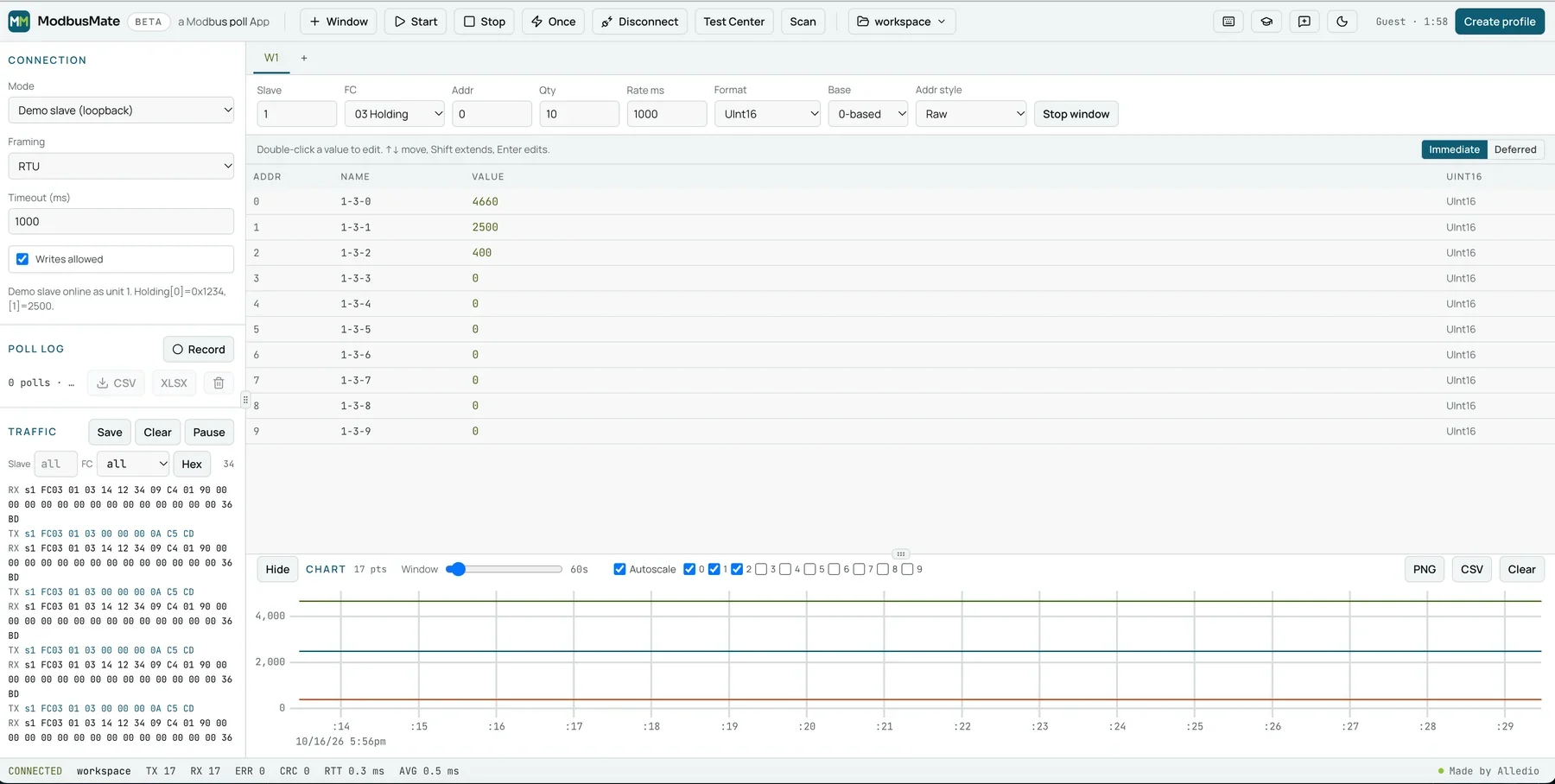
ModbusMate is a free online Modbus tester by Alledio. There is nothing to install; you get a five-minute guest session, then a free profile.
AggSoft vs ModbusMate at a glance
AggSoft facts come from its official MODBUS Tester page as of November 2026. ModbusMate facts come from the current app and product page.
| Feature | AggSoft online MODBUS Tester | ModbusMate |
|---|---|---|
| Price and licence | Free | Free, during the beta and after it |
| Platforms | Chromium desktop browsers (Chrome, Edge or Opera on a desktop computer) | Chrome, Edge, Opera on desktop (Windows, macOS, Linux, ChromeOS) |
| Install | None, a web page | None, a web app that works offline once loaded |
| Account needed | No | Free profile after a 5-minute guest session |
| Modbus RTU | Yes | Yes |
| Modbus ASCII | Yes | Yes |
| Modbus TCP | No | Coming soon |
| Data formats | 16/32/64-bit integers, 32/64-bit floats, text, BCD date and time, scale; auto-detected | Int and UInt 16/32/64, Float32/64, Hex, Binary, Boolean, ASCII, Scaled |
| Word orders | ABCD, CDAB, BADC, DCBA | ABCD, CDAB, BADC, DCBA |
| Logging and export | Copy report only; no logging | Poll log to CSV or XLSX, traffic log save |
| Chart | Not documented | Yes, with PNG and CSV export |
| Raw requests | Yes, raw frame with CRC or LRC added | Yes, Test Center with function code presets |
| Scan | Separate free online scanner | Built-in unit ID scan |
| Write protection | Preview before each write | Monitoring-only mode blocks all writes |
| Slave simulation | Separate free online slave emulator | No (built-in demo slave for practice) |
| Updates | Not documented | Not documented; in-app feedback to the team |
Trademarks belong to their owners. AggSoft details from aggsoft.com/modbus-tester.htm, checked November 2026.
Side by side: the two apps on the same task
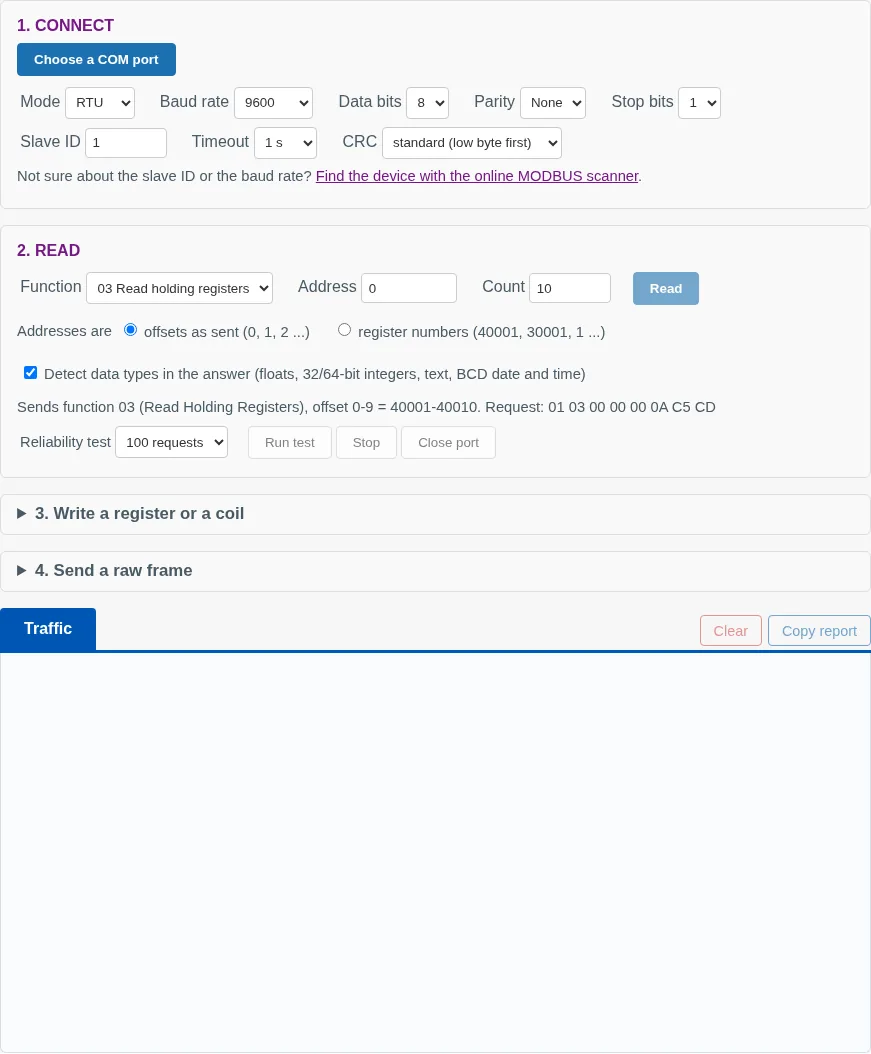
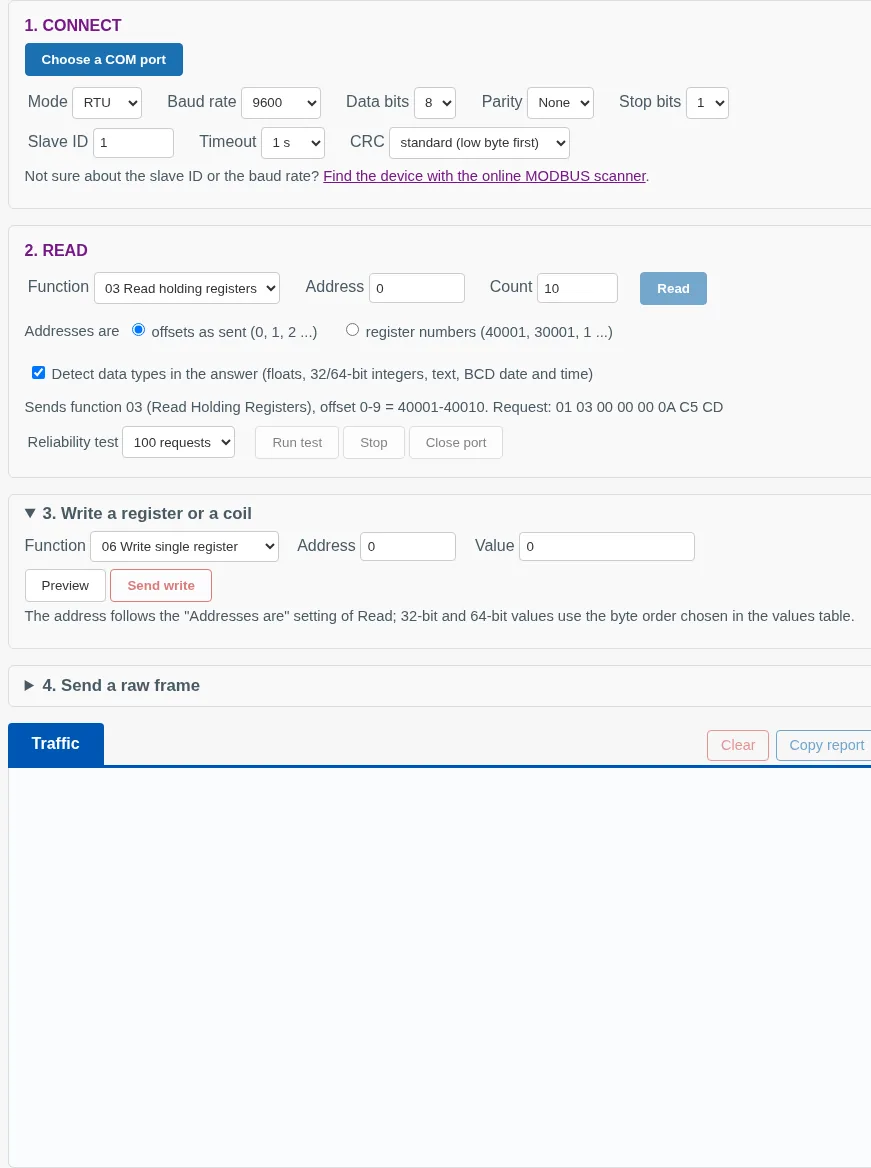
The task: read 10 holding registers from slave 1 at 9600 baud, 8N1. In AggSoft you pick a COM port, set the serial line and fill in the Read form. The line under the form shows the exact request: 01 03 00 00 00 0A C5 CD.
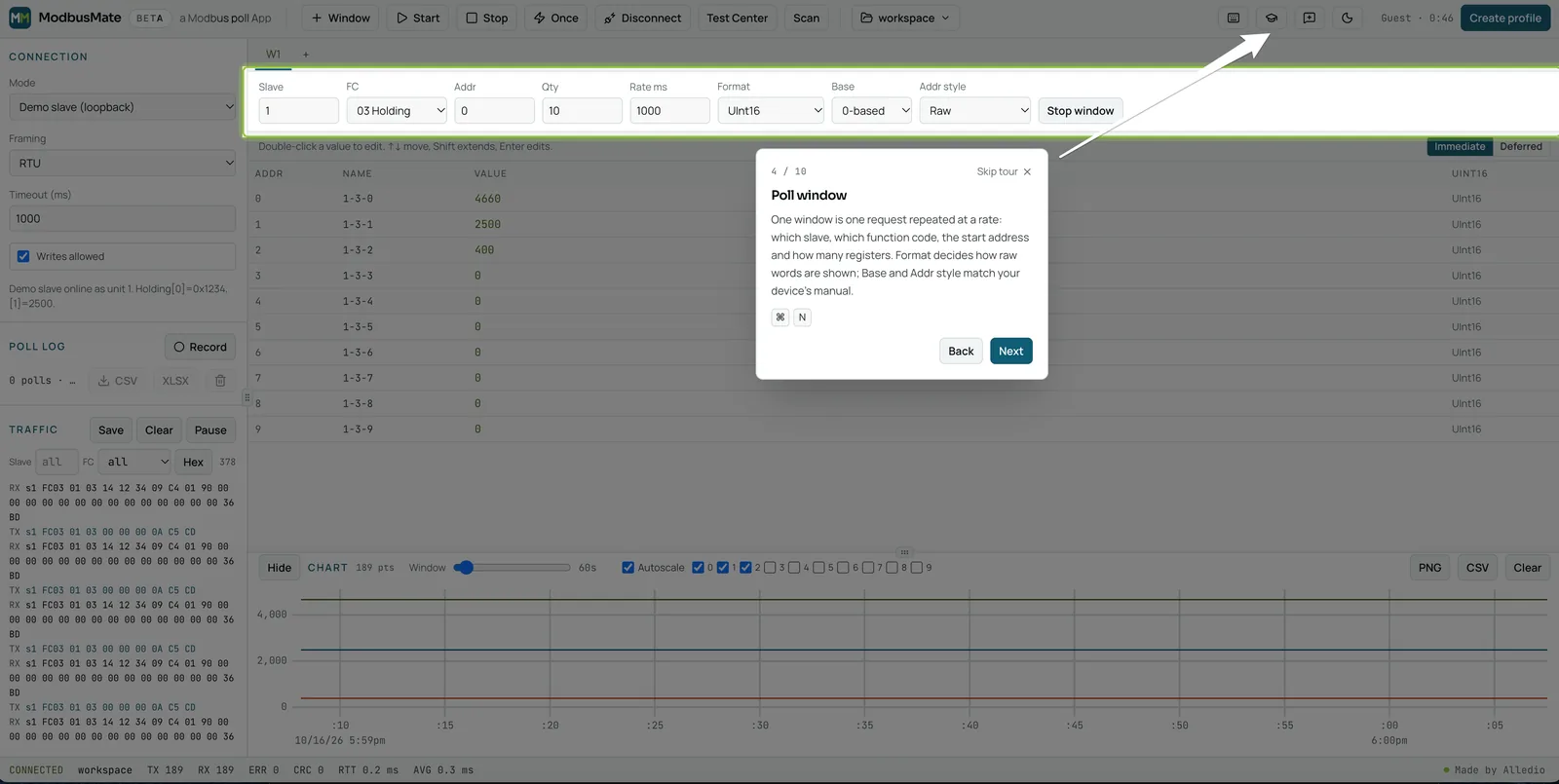
In ModbusMate the same job is one poll window: slave 1, FC 03, address 0, quantity 10, rate 1000 ms. The traffic log shows the same request bytes, and the window repeats the read until you stop it.
To decode a float, AggSoft can detect the type and byte order for you. In ModbusMate you set the window Format to Float32 and pick the word order the device uses.
Price and licence
Both tools cost nothing. AggSoft offers the tester as a free page next to its paid Windows software. ModbusMate is free during the beta and after it.
The difference is access. AggSoft needs no account at all. ModbusMate gives you a five-minute guest session, then asks for a free profile with your name and email.
Platform and install
Neither tool installs anything. Both rely on Web Serial, so both need Chrome, Edge or Opera on a desktop. Firefox, Safari and mobile browsers cannot open serial ports.
Both work on Windows, macOS, Linux and ChromeOS. ModbusMate also works offline once loaded, which helps in a plant room with poor signal.
Interface and ease of use
AggSoft is one page with four numbered steps: Connect, Read, Write and Send a raw frame. When a device stays silent or returns an exception, the page explains in plain words what it means and what to check.
Writes are careful by design. Preview shows the exact frame, and nothing goes out until you press Send write.
ModbusMate looks like a desktop Modbus master: poll windows, a register grid, a chart and a traffic log on one screen. A 10-step guided tour starts on first use, and a built-in demo slave lets you practise with no hardware.
Polling several devices
This is the main difference. AggSoft reads when you press Read, and its own FAQ says the tester is for checks, not for logging. Its reliability test repeats one request up to 100 times and counts timeouts, checksum errors and exceptions.
ModbusMate keeps polling. Open as many poll windows as you need, each with its own slave ID, function code, address range and rate.
- F5 starts all windows, F6 stops them and F8 reads once.
- Status counters show TX, RX, errors, CRC errors and round-trip time.
- Saved workspaces bring back every window for the next site visit.
Data formats and word order
AggSoft is strong here. With type detection on, it tries all four byte orders after each read and keeps the one where the values make sense. It recognises 32-bit and 64-bit floats and integers, text and BCD date and time, and lets you set a scale.
ModbusMate lets you set the format per window: Int and UInt 16, 32 and 64, Float32 and Float64 in ABCD, CDAB, BADC or DCBA, plus Hex, Binary, Boolean, ASCII and Scaled (a × raw + b). You choose the type per window, usually from the device manual. Base 0 or 1 and the address style match your manual.
Logging, charts and export
AggSoft gives you Copy report, a text summary for a colleague or a support request. For logging around the clock it points to its paid Windows data logger.
ModbusMate records a poll log to CSV or XLSX for the commissioning report. The live chart plots registers and exports as PNG or CSV, and the traffic log can be paused and saved.
Watch: ModbusMate in action
Modbus RTU, ASCII and TCP support
Both tools speak Modbus RTU and Modbus ASCII over RS-485 or RS-232. Neither does Modbus TCP today. AggSoft says plainly that a web page cannot open network connections to devices, and points to its paid TCP/IP logger.
For ModbusMate, Modbus TCP is coming soon. If you need TCP today, use a desktop master for that job.
Support and updates
AGG Software is an established vendor with a support page and contact form. Its tester page also links free extras: an online scanner, a slave emulator, a CRC calculator and register maps for more than 450 devices.
ModbusMate has a feedback button in the app. You pick Bug, Idea or Question, and can attach diagnostics such as connection settings and the last frames. Neither tool page documents an update schedule.
Who should pick which
Where the AggSoft online MODBUS Tester wins:
- Plain-language diagnosis when a device does not answer
- Automatic type detection for each register
- Reliability test of up to 100 requests
- Write preview before anything is sent
- A copyable report for support
- Separate free scanner, memory-map scanner and slave emulator
- No profile needed
Where ModbusMate wins:
- Continuous polling in many windows at once
- Live chart with PNG and CSV export
- Poll log to CSV or XLSX
- Saved workspaces
- Raw requests with presets in the Test Center
- Monitoring-only mode that blocks all writes
- Guided tour and demo slave
- Modbus TCP coming soon
Coming from a Windows master instead? Read ModbusMate as a Modbus Poll alternative.
Switching from AggSoft: migration tips
Your AggSoft check already holds what ModbusMate needs. Move it over in four steps:
- Take the slave ID, baud rate, parity and register list from the AggSoft report.
- Open one ModbusMate poll window for each register block.
- Set the data type and word order that AggSoft detected, and match Base to the AggSoft Addresses setting.
- Save the workspace, so the next visit starts where you left off.
New to testing a device from a laptop? Follow the four steps to test a Modbus RTU device, or read the ModbusMate launch post.
AggSoft Modbus tester alternative FAQ
Is the AggSoft Modbus tester free?
Yes. AGG Software offers its online MODBUS Tester as a free web page, with nothing to install and no account. For round-the-clock logging, AGG Software points to its paid Windows programs.
Can the AggSoft tester poll a device continuously?
No. Its own FAQ says the tester is meant for checks, not for logging, and it reads when you press Read. If you need to keep polling, log values or watch several devices at once, use a polling tool such as ModbusMate.
Which browsers do AggSoft and ModbusMate need?
Both use the Web Serial API, so both need Chrome, Edge or Opera on a desktop computer running Windows, macOS, Linux or ChromeOS. Firefox, Safari, phones and tablets are not supported.
Does ModbusMate cost anything compared with AggSoft?
Both can be used free. AggSoft offers its online MODBUS Tester as a free page and sells Windows programs for continuous logging. ModbusMate is free to start, with a free profile after the 5-minute guest session.
Can I move my AggSoft settings to ModbusMate?
Yes. Take the slave ID, baud rate, parity and register list from the AggSoft report, then open one ModbusMate poll window per register block. The migration steps above show the order.
Try ModbusMate free
Keep AggSoft for the quick check. When you need to keep polling, log or chart, plug in your USB-to-RS-485 adapter and open a poll window in ModbusMate.
Limits: desktop Chrome, Edge or Opera; Modbus RTU and ASCII; Modbus TCP coming soon; a free profile after a 5-minute guest session.